Retire an asset
Retiring takes an obsolete or unserviceable asset out of service. A Retirement transaction needs an independent approval, but no destination acknowledgment: it completes when it is released, and the asset is then recorded as For Retirement.
Before you start
- To request a retirement you need to be an Asset and Logistics Associate, Dedicated IT Warehouse Administrator or CDI Staff, IT Hardware Inventory Supervisor, or IT Business Systems or Application Team.
- To approve it you need to be an IT Hardware Inventory Supervisor or the IT Business Systems or Application Team, and you must not be the person who requested it.
- The asset must be recorded at the location or with the custodian you name as the origin.
Steps
Start a retirement
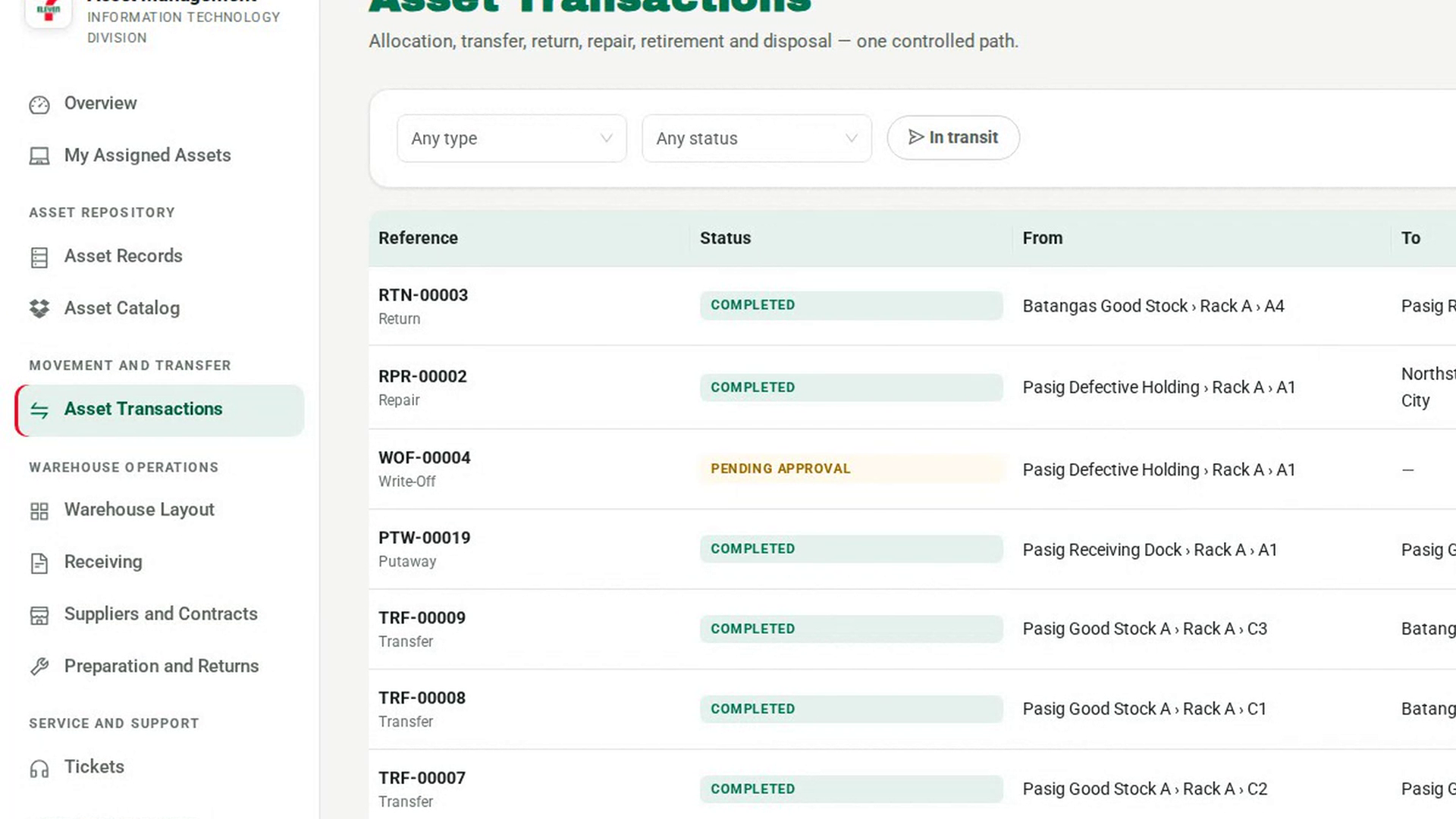
In the sidebar, under Movement and Transfer, select Asset Transactions, then New transaction. Under What kind of movement, choose Retirement. The note reads Needs an independent approval before it can be released. Completes at release; no destination acknowledgment.
Say where it is and why
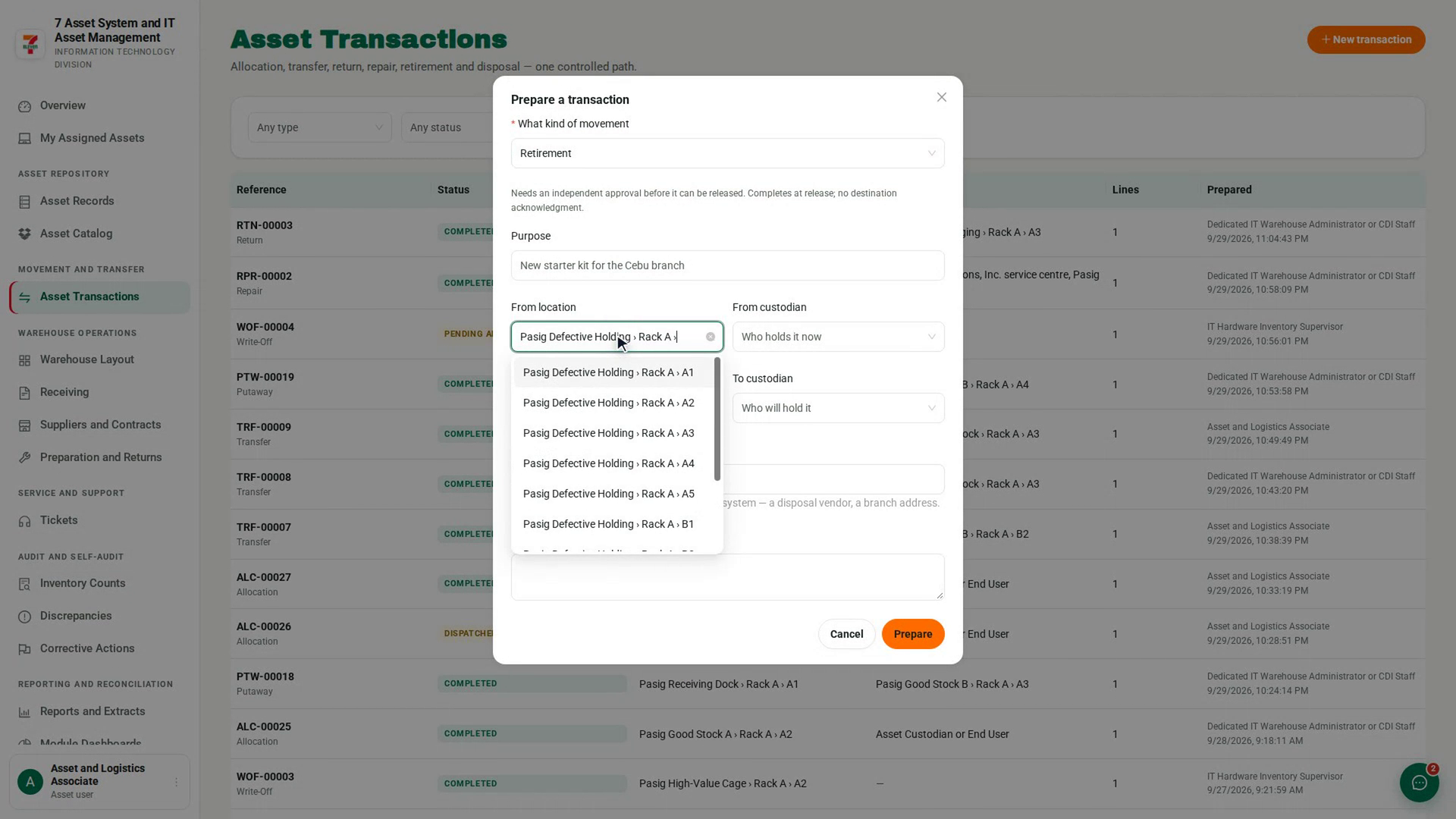
Choose the From location or From custodian that holds the asset. A destination is optional. State why it is being retired in Purpose, then select Prepare.
Add the asset and submit
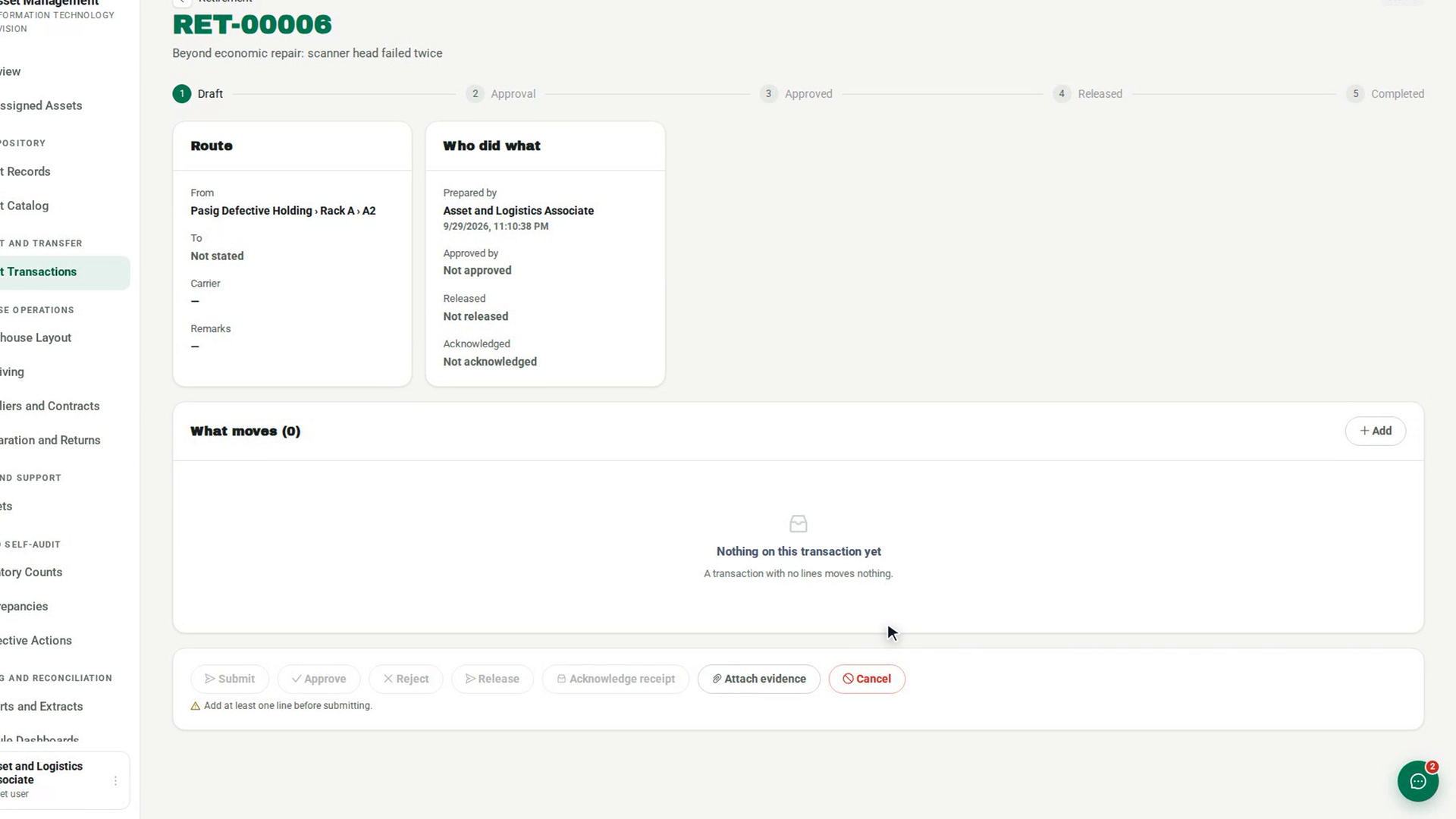
In What moves, select Add and select the asset. Then select Submit. The status changes to Pending Approval.
Approve the retirement
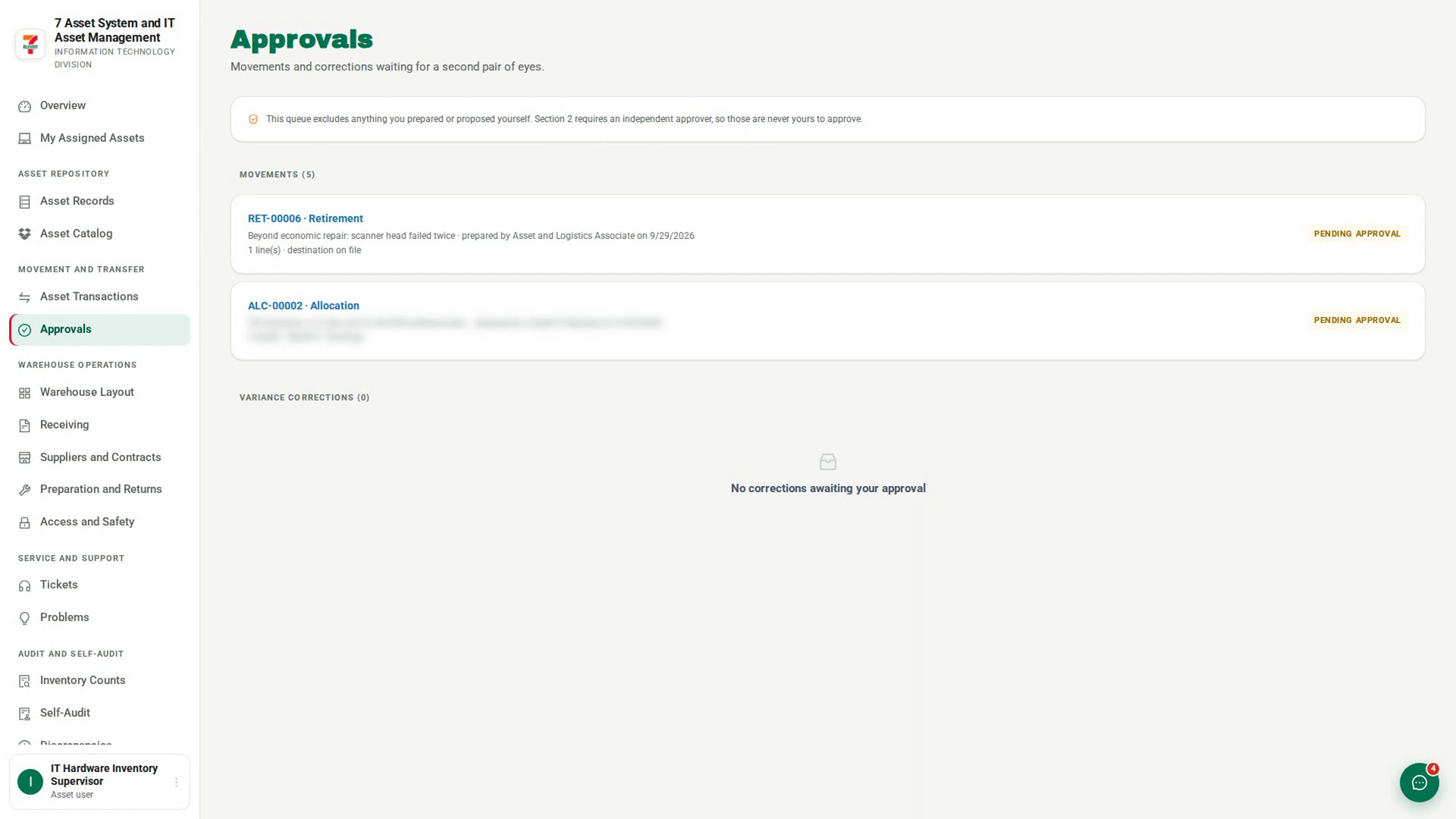
A different approver opens it from Approvals under Movement and Transfer, checks it, and selects Approve. The confirmation records their name, the time and the exact version they approved.
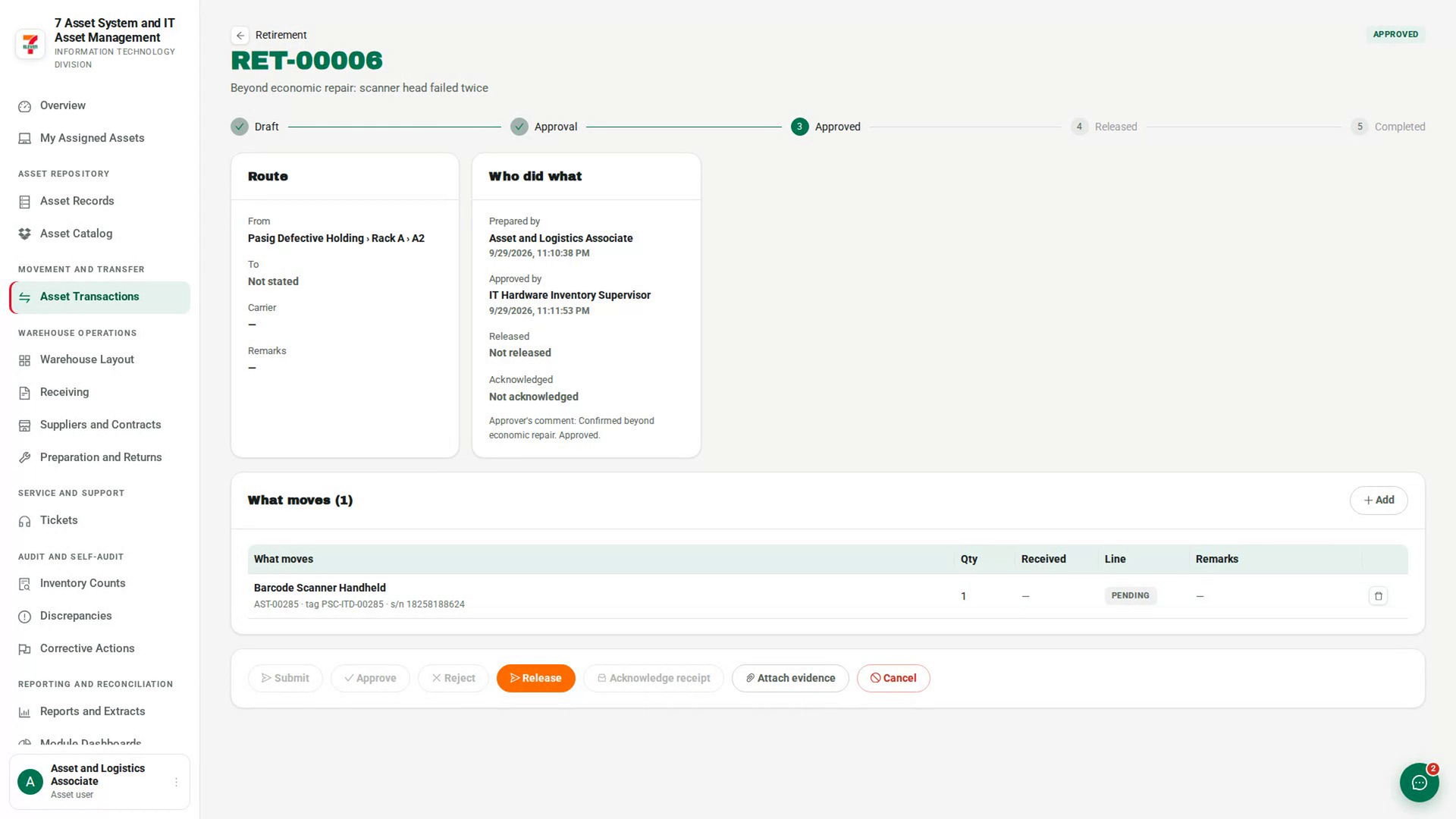
Release it
When it is Approved, select Release, fill in Carrier or recipient, and select Confirm release. The retirement completes at once and the asset is recorded as For Retirement.
Screenshots
Step 1: Start a retirement
Step 2: Say where it is and why
Step 3: Add the asset and submit
Step 4: Approve the retirement
Step 5: Release it
Watch how
The person who requested a retirement cannot approve it. It never appears in their Approvals queue, and an attempt from the transaction is refused with You prepared this retirement, so you cannot also approve it.
Tip: Retiring is not disposing. An asset For Retirement can no longer be allocated or transferred, but it still exists. Disposal is a separate step with its own approval.