Put an asset away in the warehouse
A putaway moves a received asset from where it landed into its storage position in the warehouse. It is recorded as a Putaway transaction, so the asset's location on the record always matches the shelf it sits on.
Before you start
- You need to be able to prepare and release transactions: Dedicated IT Warehouse Administrator or CDI Staff, Asset and Logistics Associate, IT Hardware Inventory Supervisor, or IT Business Systems or Application Team.
- The asset must already be recorded at the location you are moving it from, for example the receiving area.
- The storage position you are moving it to must exist in Warehouse Layout.
Steps
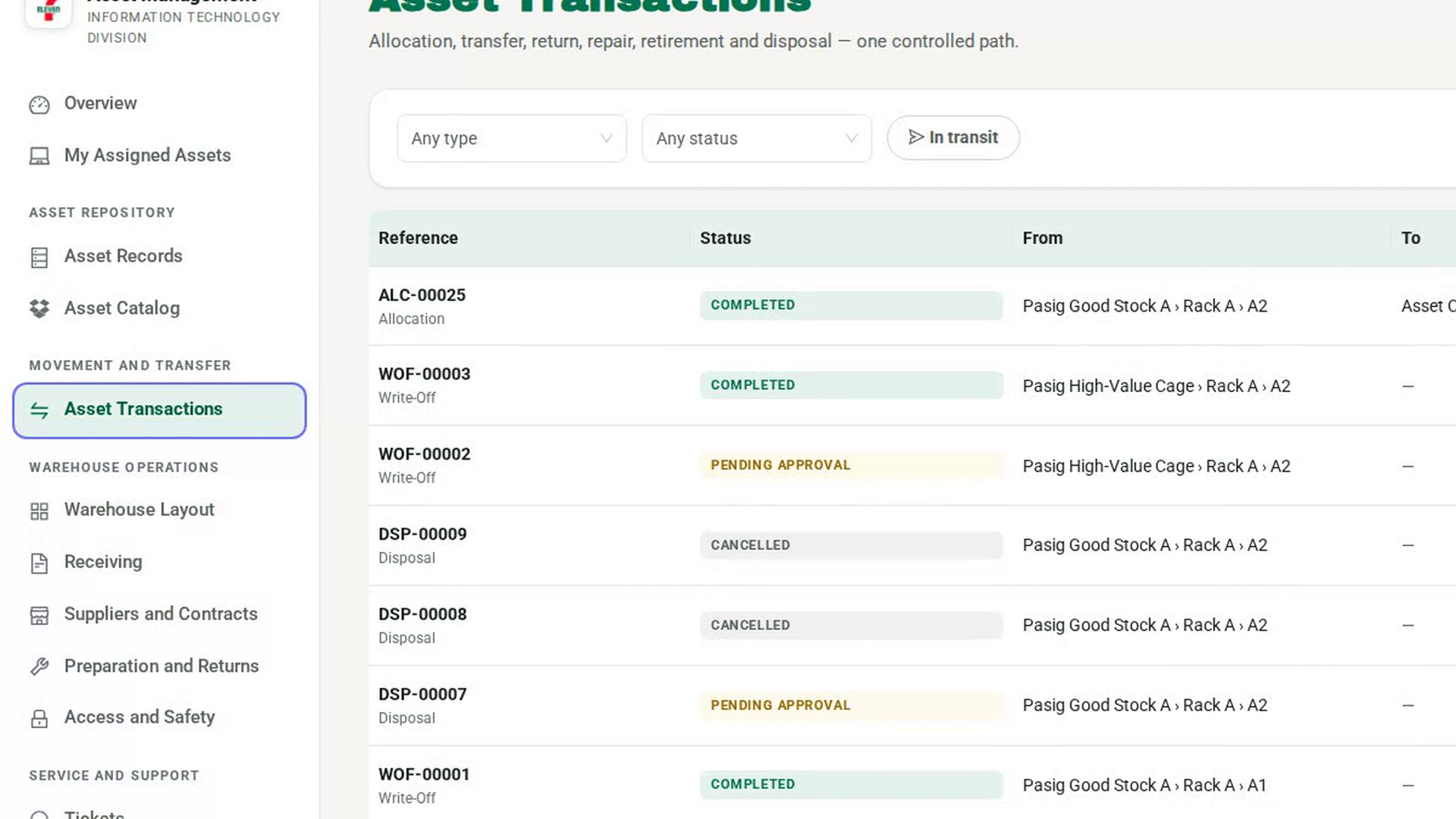
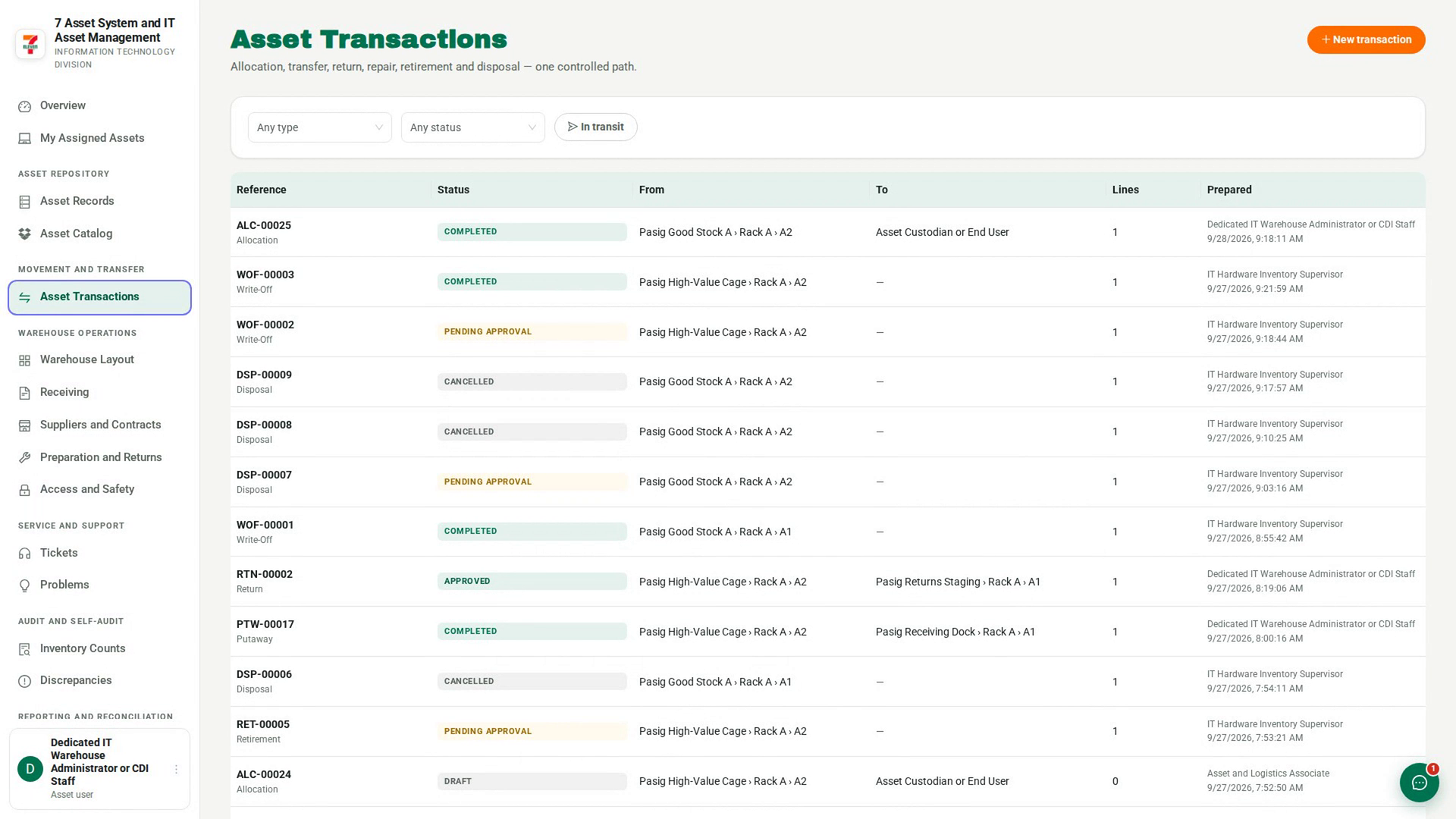
Open Asset Transactions
In the sidebar, under Movement and Transfer, select Asset Transactions. The list shows every transaction with its reference, status, route and number of lines.
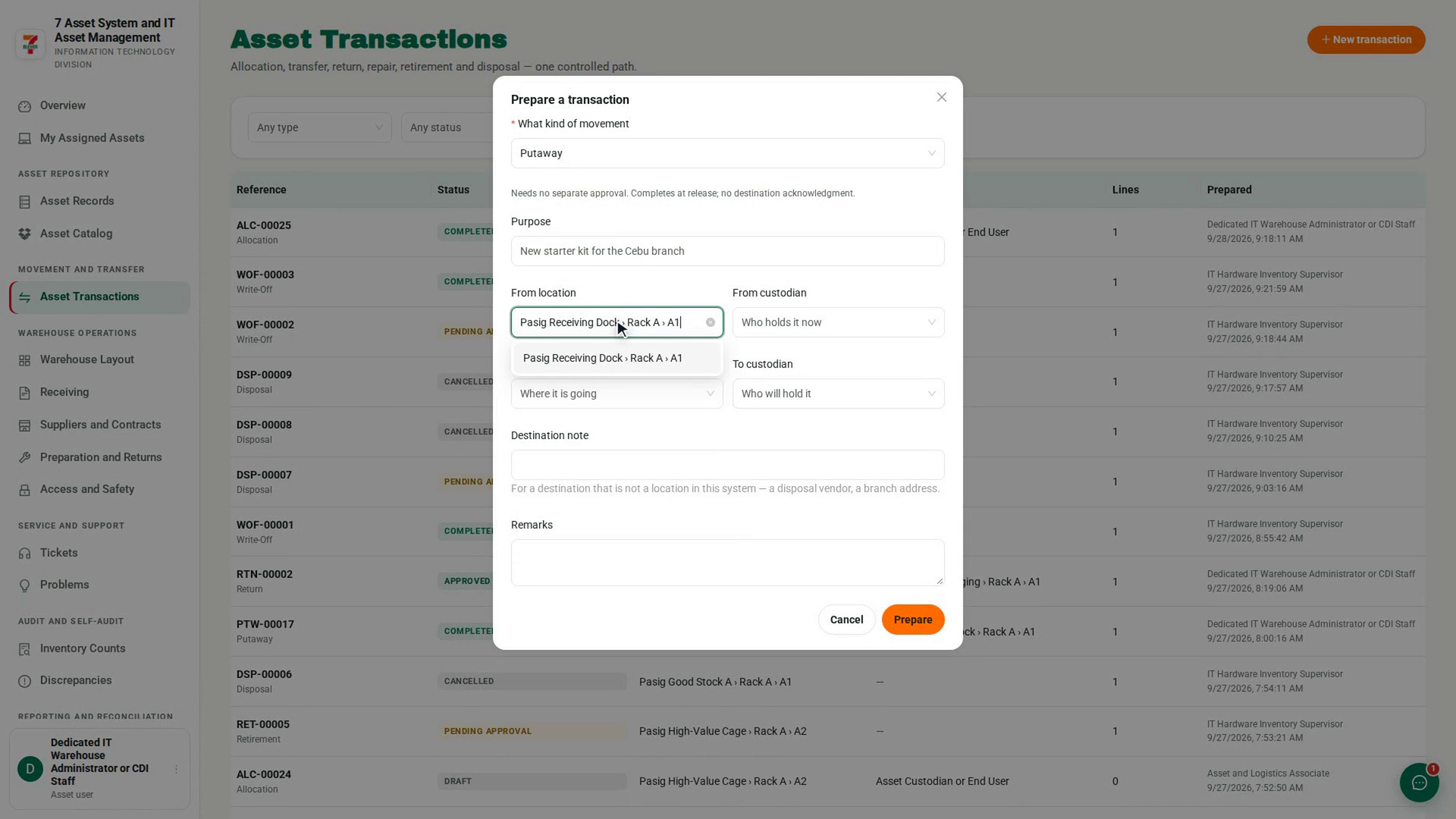
Start a putaway
Select New transaction. In the Prepare a transaction dialog, under What kind of movement, choose Putaway. The note under the field reads Needs no separate approval. Completes at release; no destination acknowledgment.
Say where it goes
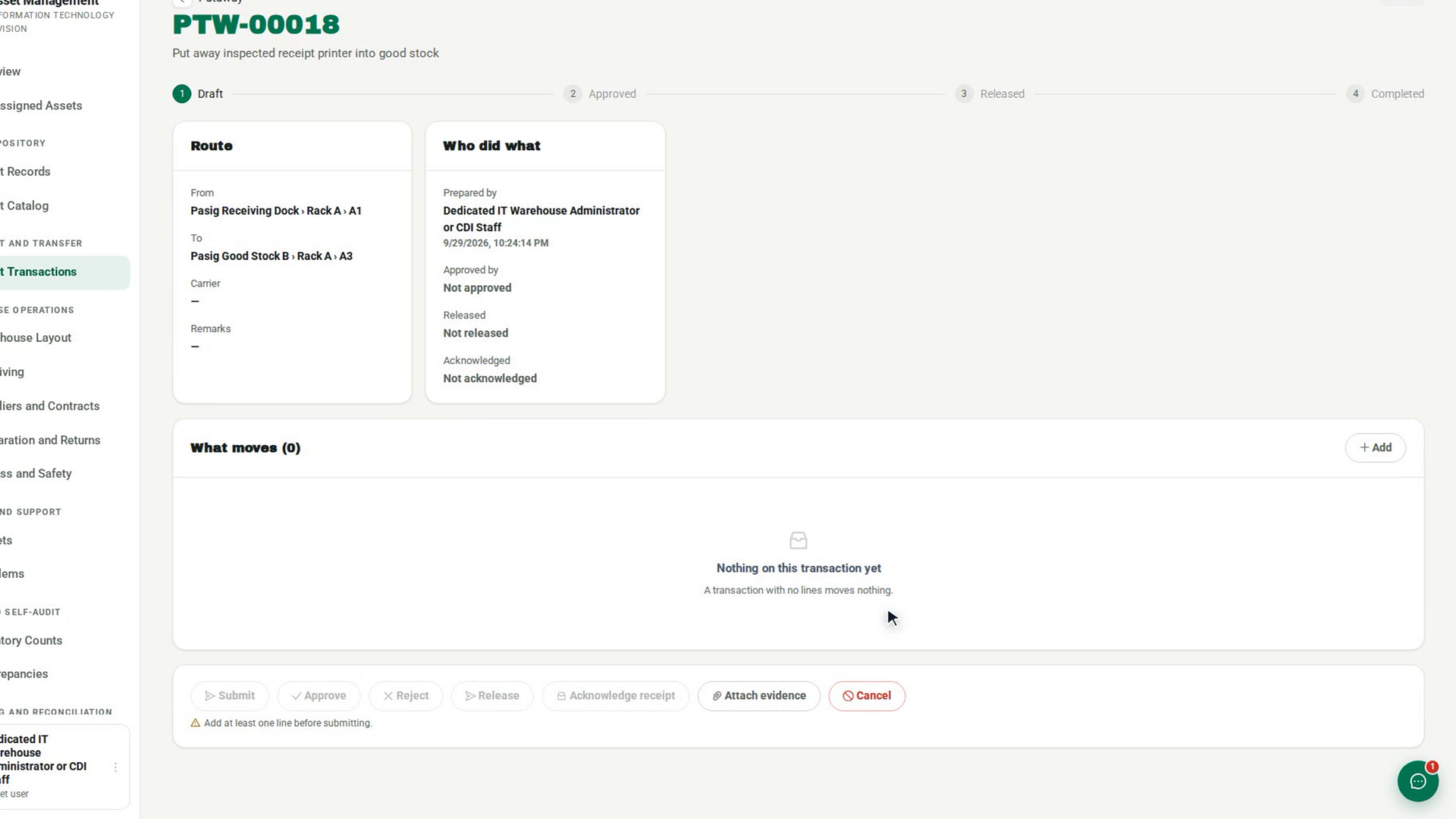
Choose the From location where the asset is now and the To location where it will be stored. Add a Purpose if it helps, then select Prepare. The new transaction opens as a Draft.
Add the asset
In What moves, select Add. The Add what moves dialog lists only assets recorded at the from location. Select the asset to add it as a line.
Submit the putaway
Select Submit. Because a putaway needs no approval, it goes straight to Approved.
Release it into storage
Select Release, fill in Carrier or recipient, and select Confirm release. The putaway completes at once, and the asset is recorded as Stored in its new position.
Screenshots
Step 1: Open Asset Transactions
Step 2: Start a putaway
Step 3: Say where it goes
Step 4: Add the asset
Step 5: Submit the putaway
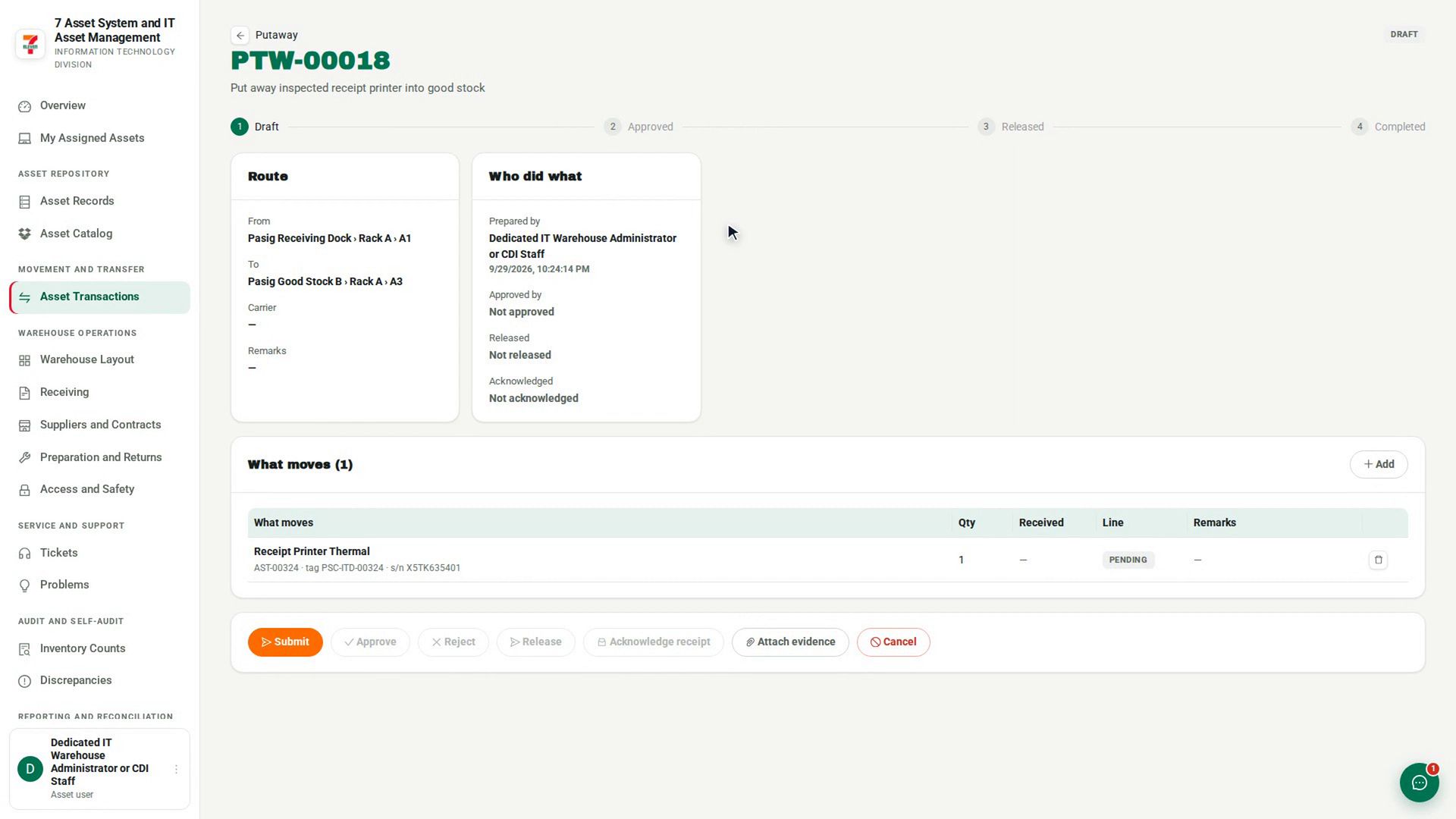
Step 6: Release it into storage
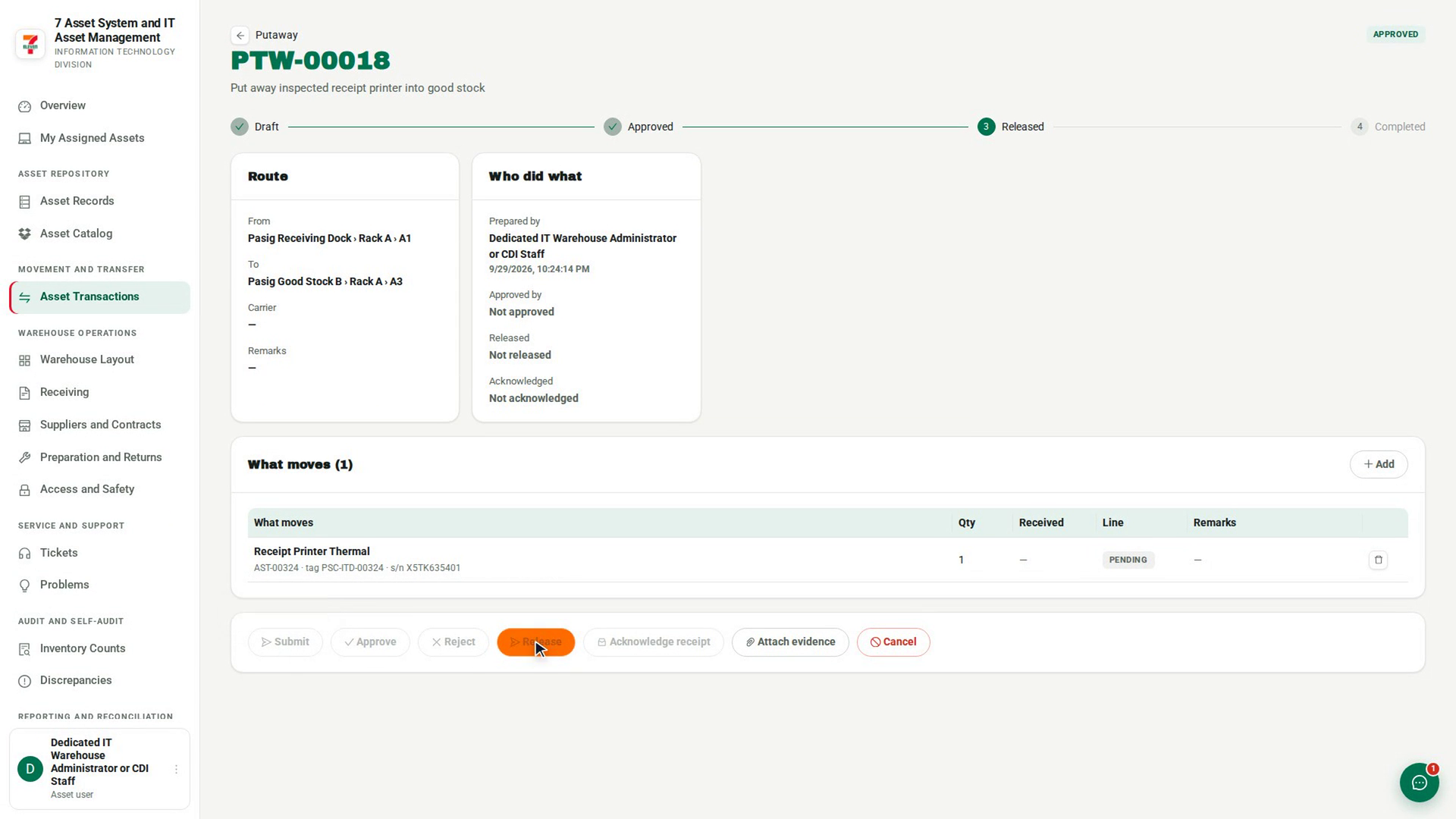
Watch how
Tip: A putaway needs no second person. You are the person placing the item, so you are also its destination. It still leaves a record of who moved what, from where and to where.