Record a receiving handover
Record the moment a delivery passes from the supplier or carrier into the warehouse's hands: when it physically arrived, the paperwork that came with it, and where the goods were put. You record the handover as part of the delivery inspection on the purchase order.
Before you start
- You need to be a Dedicated IT Warehouse Administrator or CDI Staff, an Asset and Logistics Associate, an IT Hardware Inventory Supervisor or the IT Business Systems or Application Team.
- The purchase order must be placed (status Ordered or Partially Received).
- Keep the delivery note and invoice from the carrier to hand.
Steps
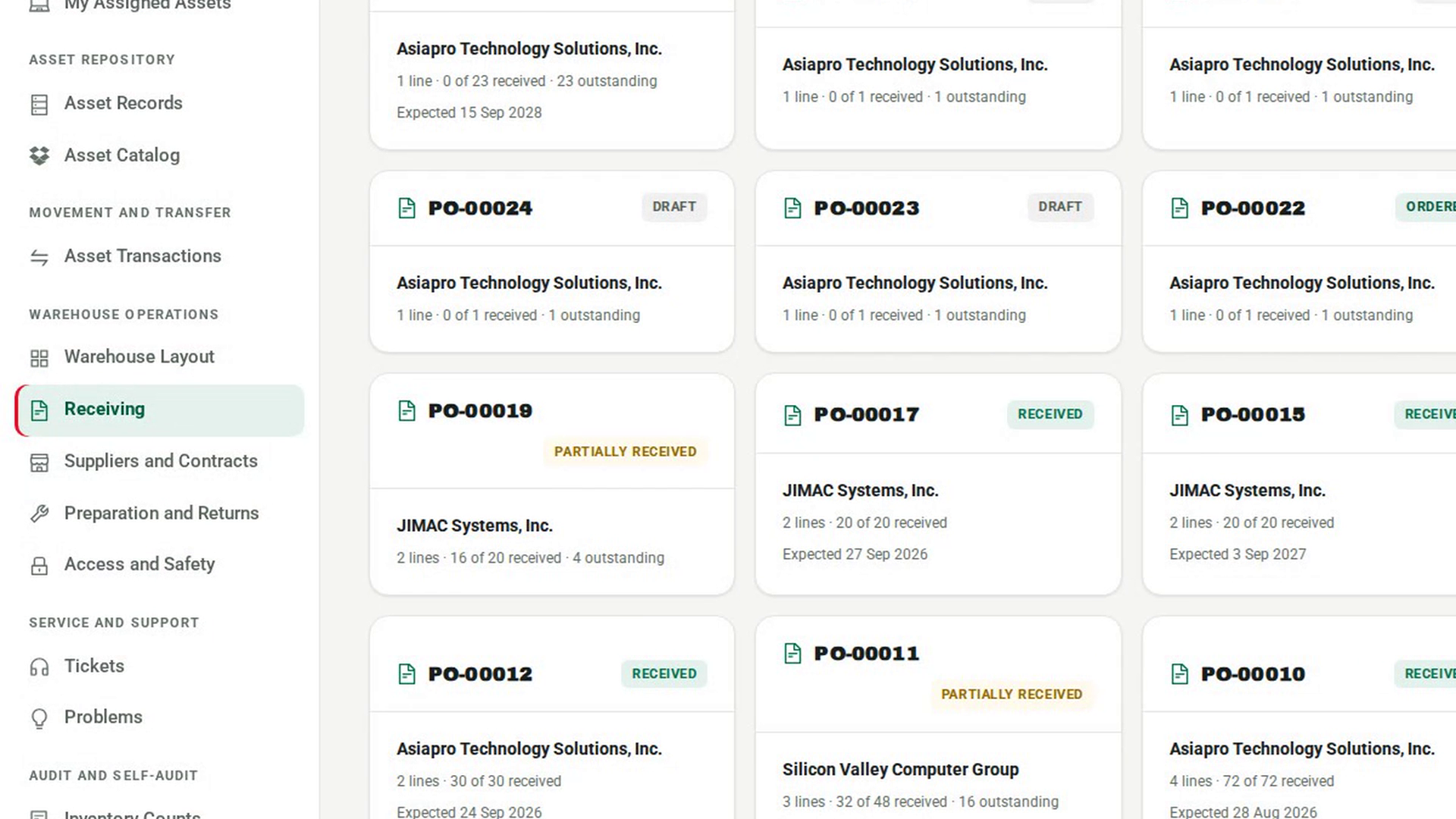
Open the purchase order
In the sidebar, under Warehouse Operations, select Receiving, then select the order the delivery belongs to.
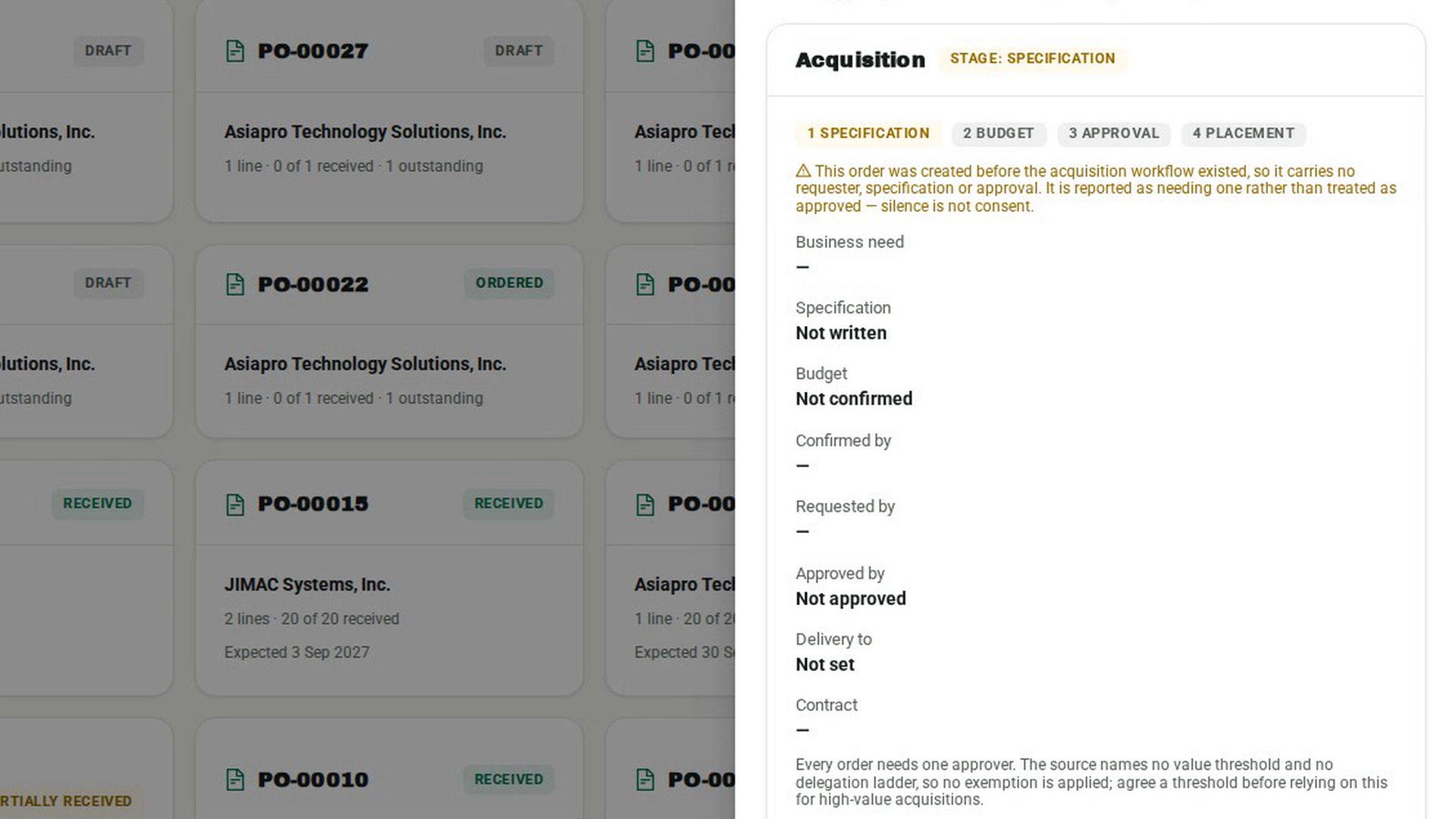
Open the inspection
Select Inspect Delivery. The Inspect delivery against dialog opens with the handover details at the top and the outstanding lines below.
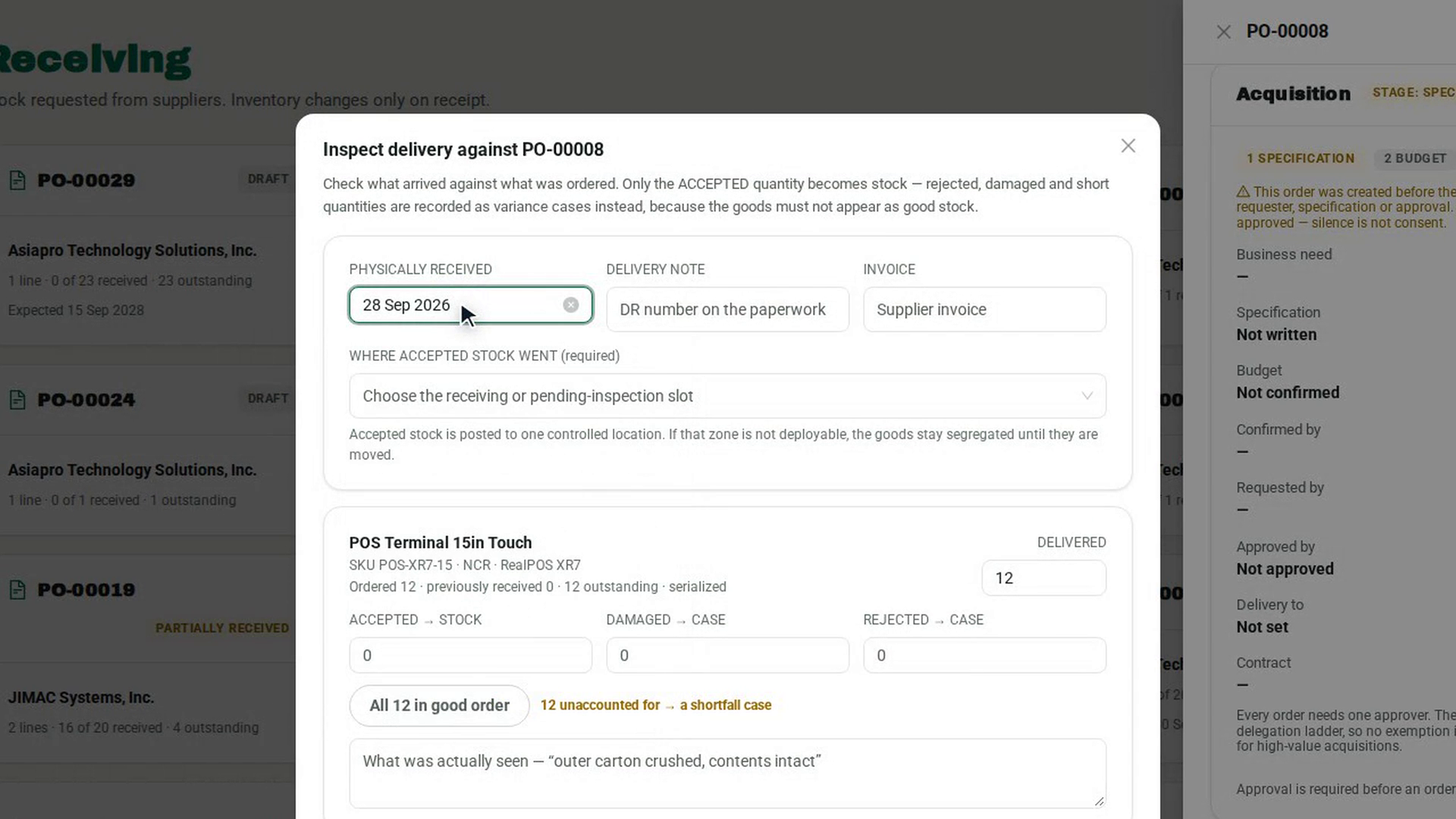
Record when the goods arrived
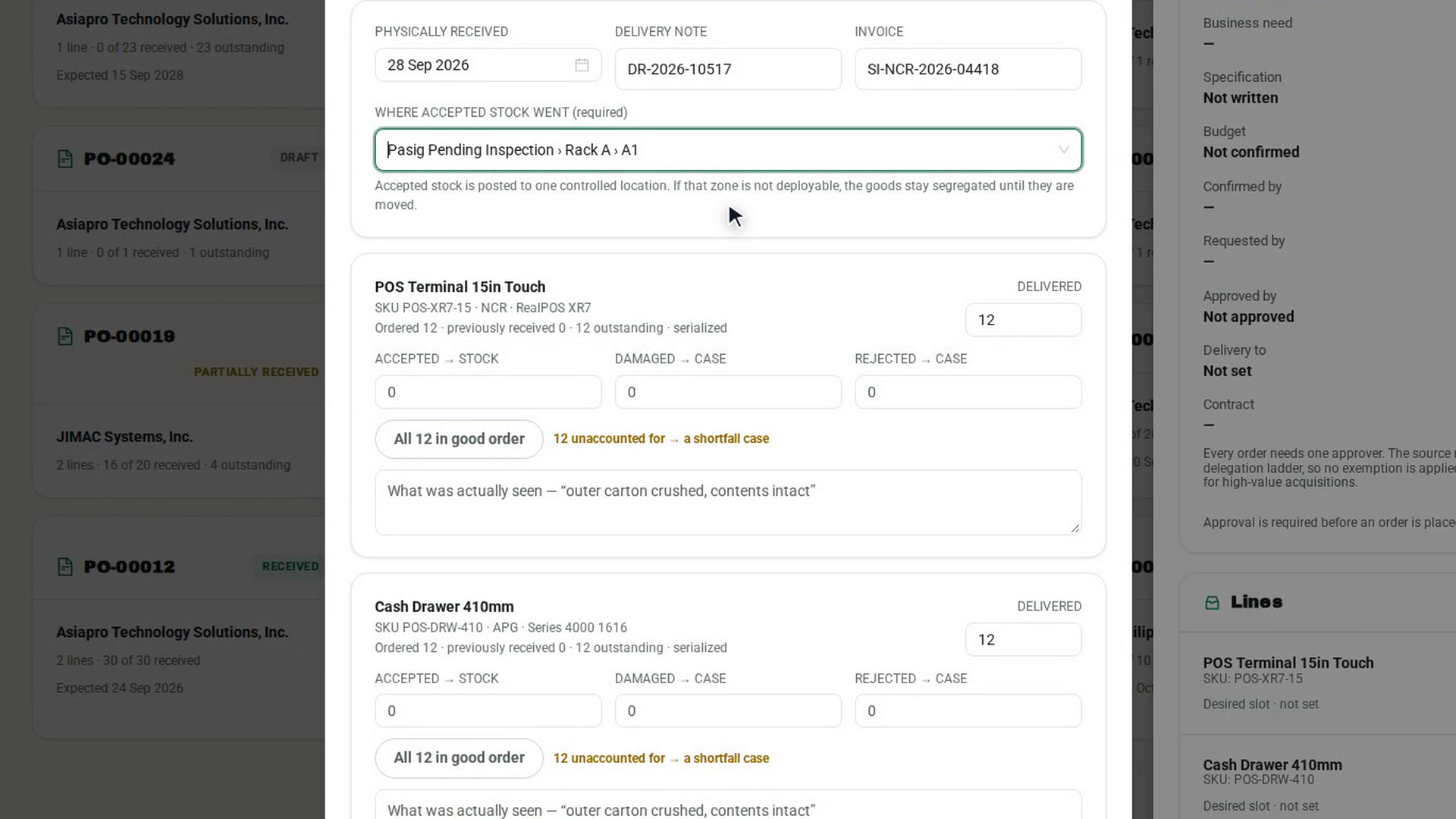
Set PHYSICALLY RECEIVED to the day the goods were handed over. It starts at today; change it if you are recording a delivery that arrived earlier. 7-Asset also keeps the time you recorded it, so late recording is visible.
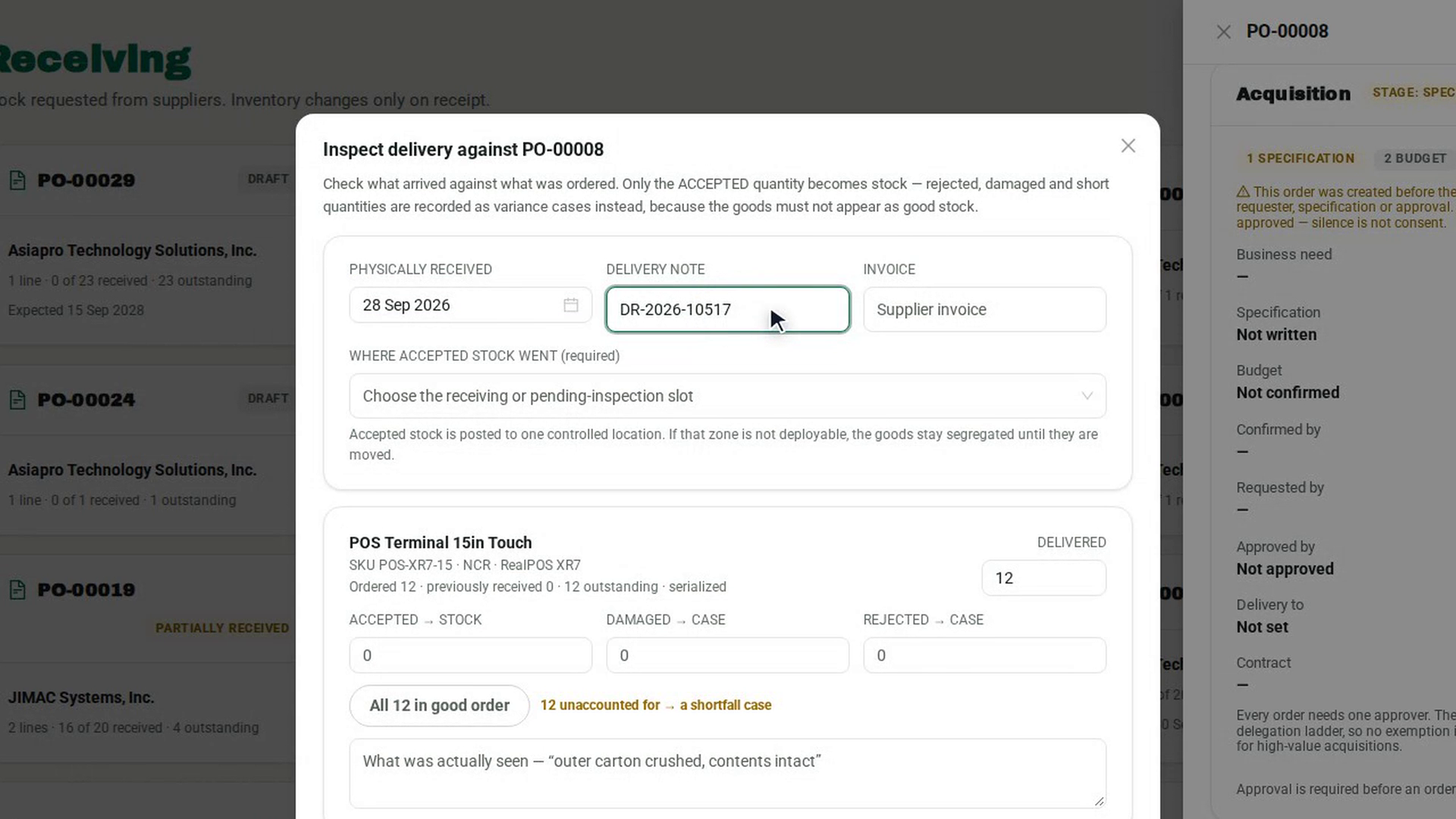
Record the paperwork
Enter the DELIVERY NOTE number and the supplier INVOICE reference exactly as they appear on the documents the carrier handed over.
Record where the goods went
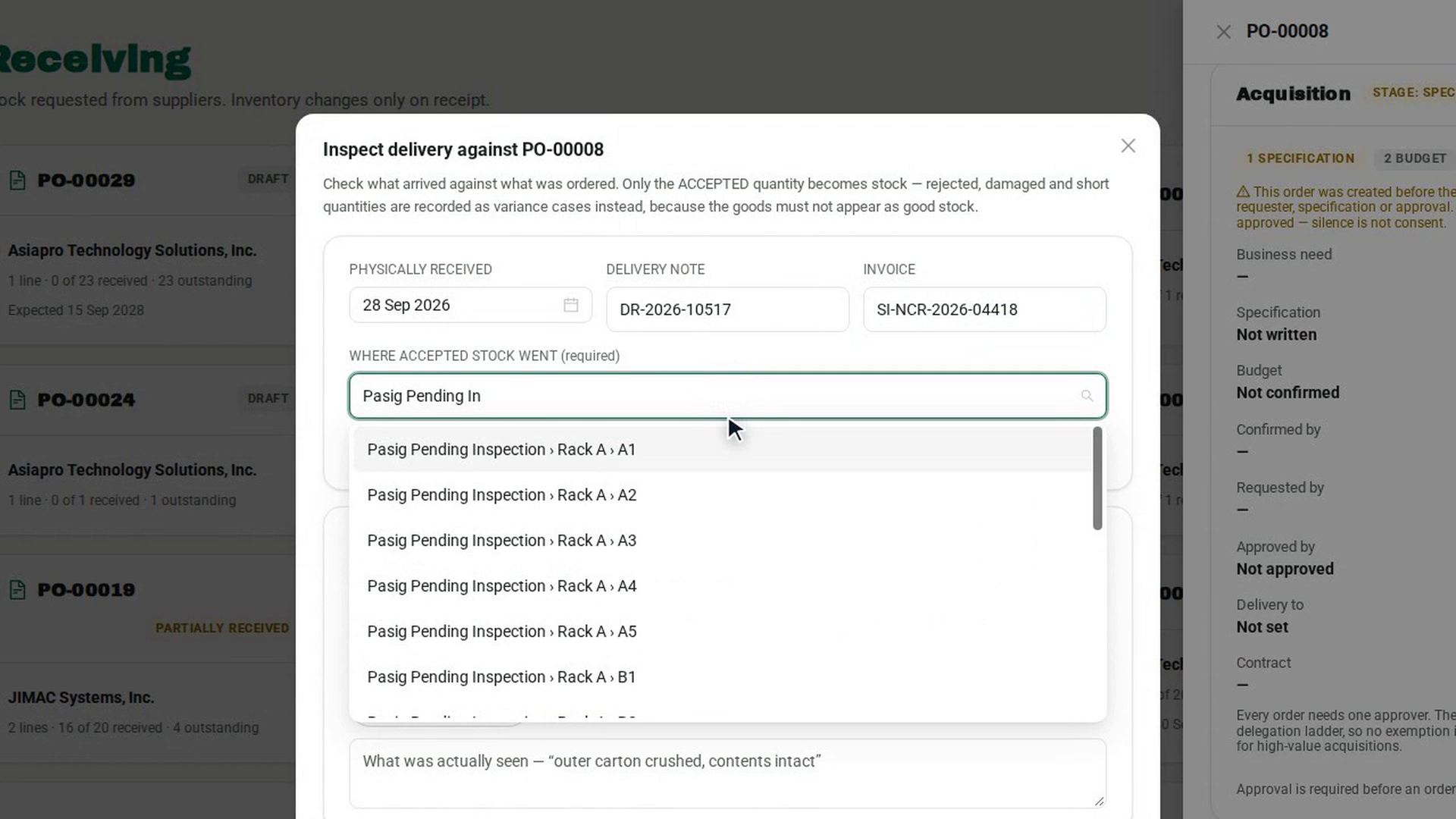
Under WHERE ACCEPTED STOCK WENT (required), choose the receiving or pending-inspection slot the goods were put into. Goods placed in a zone that is not for deployable stock stay segregated until they are moved.
Account for each line and record it
Enter what was delivered, accepted, damaged and rejected on each line, then select Record inspection. The dialog confirms the lines accepted into the chosen area and any cases opened. Select Done.
Screenshots
Step 1: Open the purchase order
Step 2: Open the inspection
Step 3: Record when the goods arrived
Step 4: Record the paperwork
Step 5: Record where the goods went
Step 6: Account for each line and record it
Watch how
Tip: If the accepted stock went to an area that is not deployable, the result says so. The goods are in the warehouse's custody but cannot be issued until they are moved to good stock.