Report a lost or stolen asset
If equipment in your custody is lost or stolen, report it from My Assigned Assets. Your report opens a case for the inventory team to investigate. The asset record itself does not change until a correction is approved.
Before you start
- Everyone who signs in can do this from My Assigned Assets. You do not need a special role.
- You can report only on an asset recorded in your custody.
- Know when and where you last saw it. The report asks you to describe what happened.
Steps
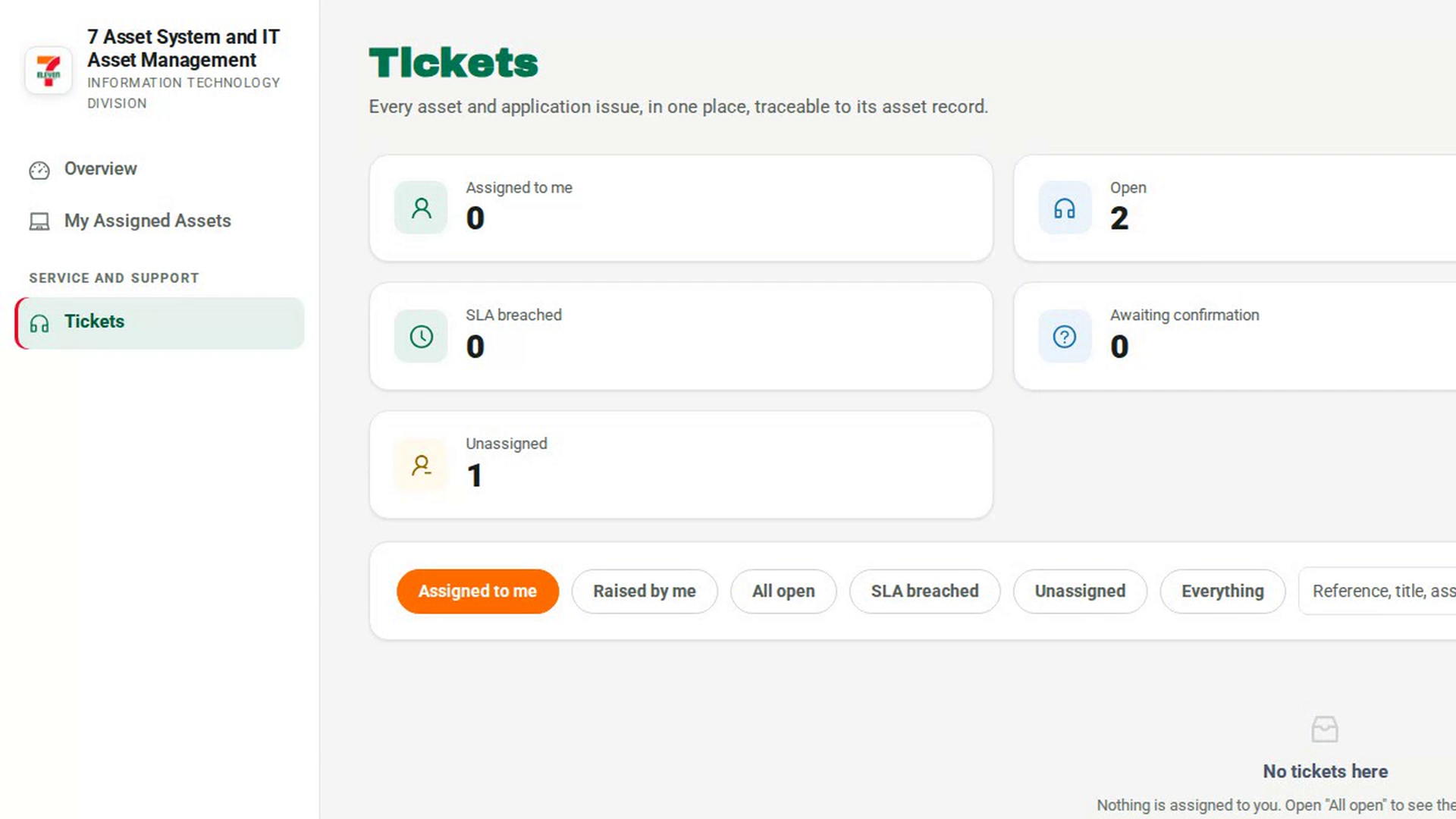
Open My Assigned Assets
In the sidebar, select My Assigned Assets. Your equipment is shown as cards.
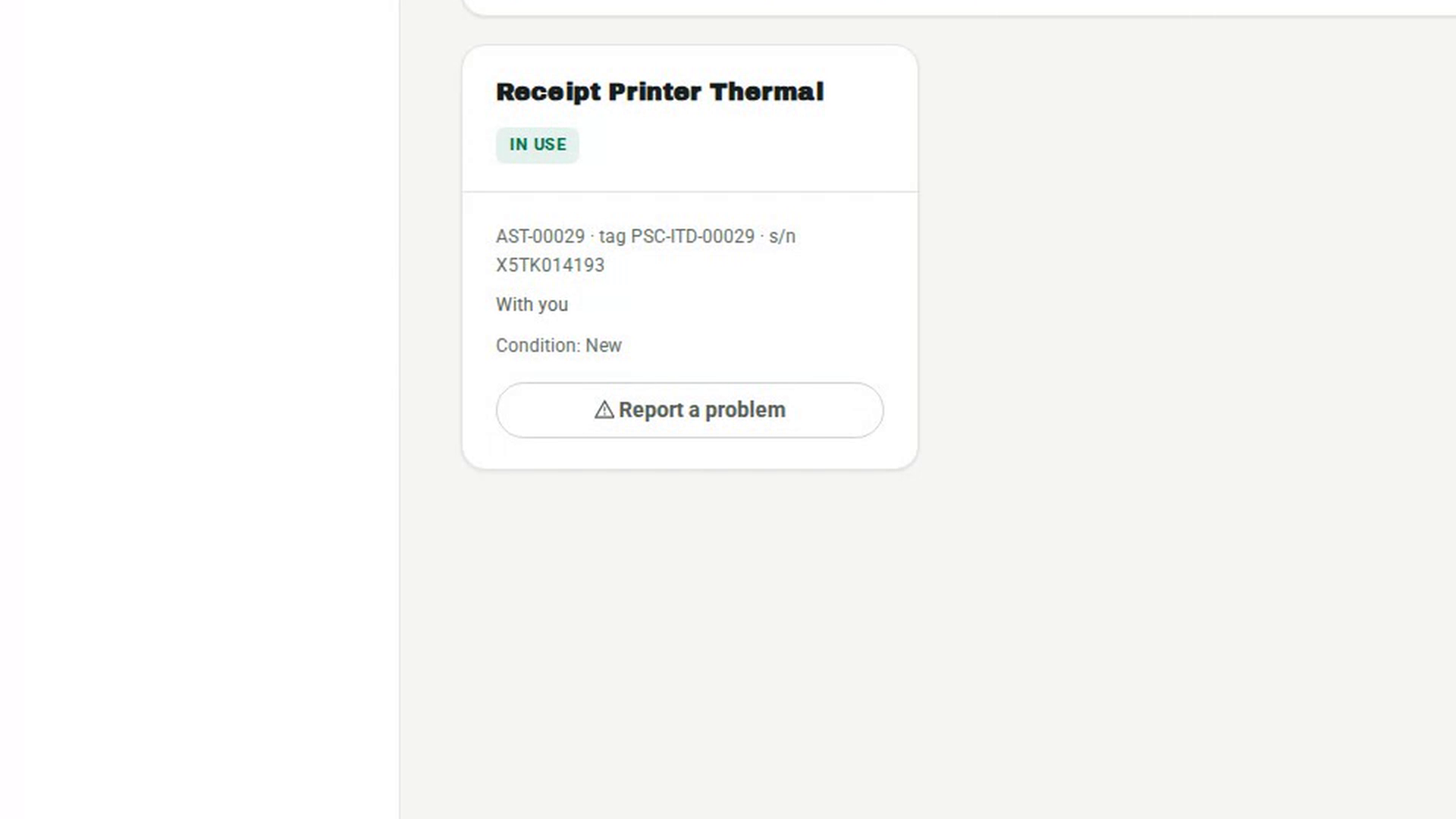
Start a report on the asset
On the missing asset's card, select Report a problem. A dialog opens titled Report a problem with followed by the asset's name. It explains that the report opens a case and leaves your asset record exactly as it is.
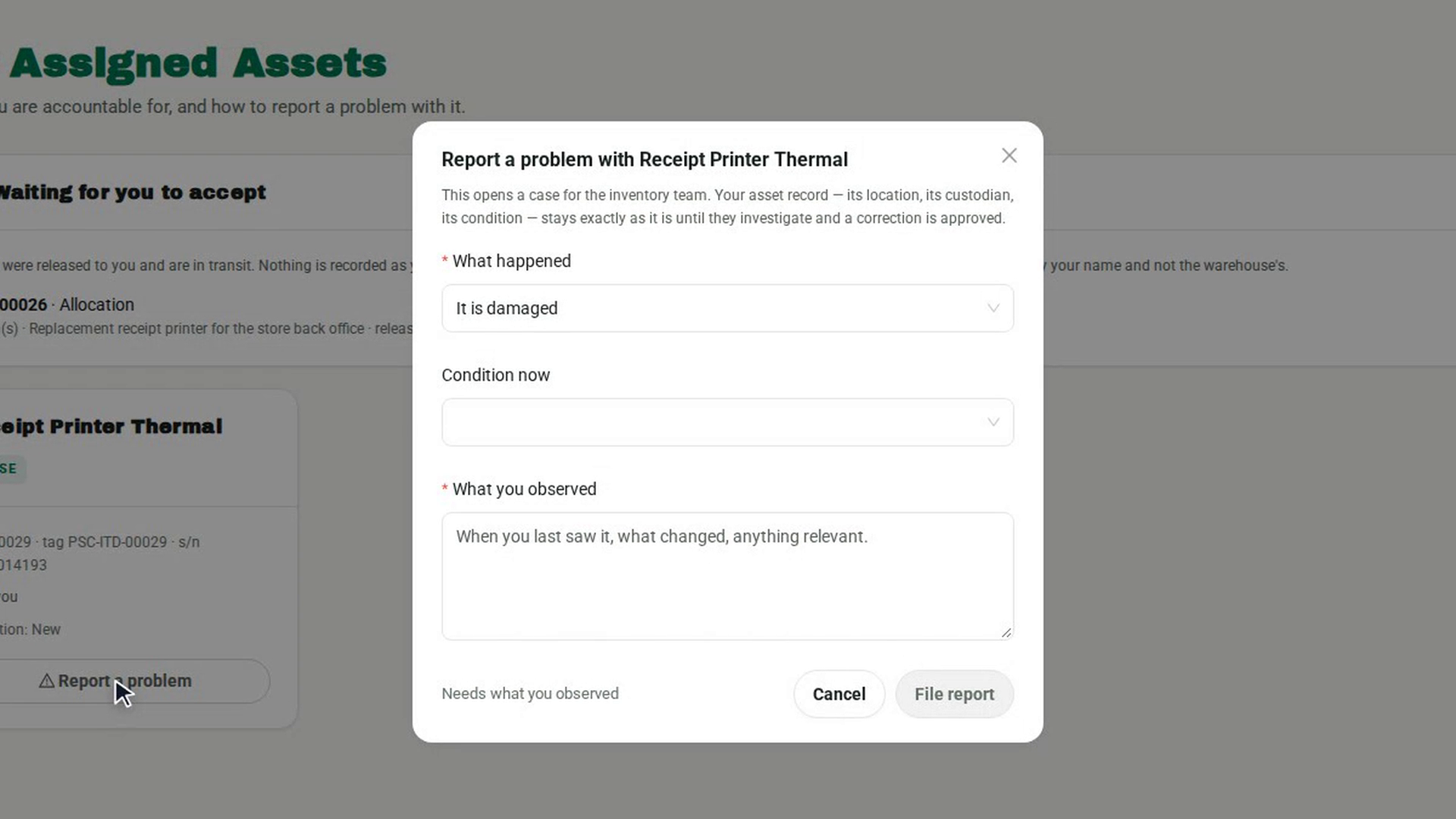
Say what happened
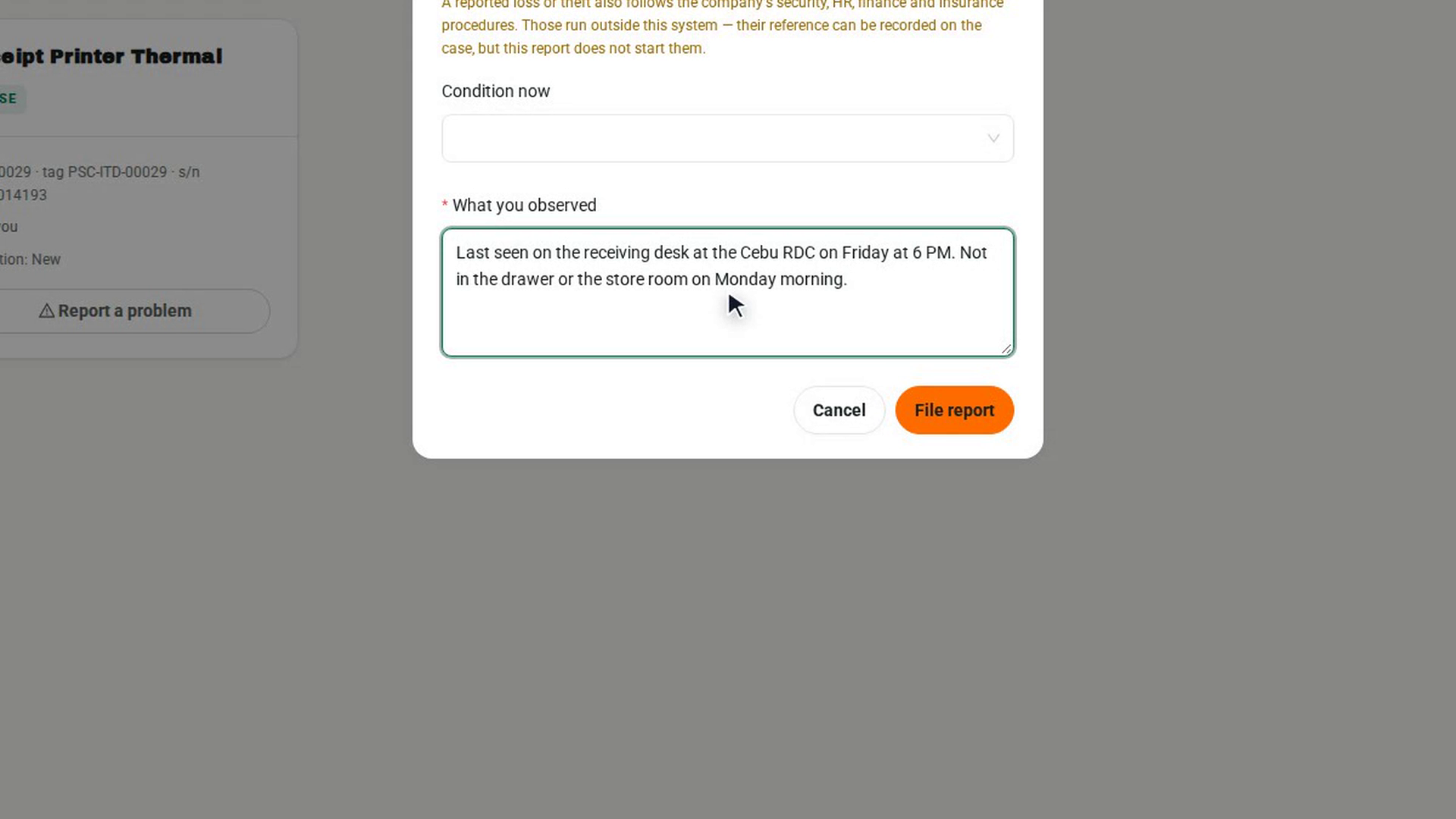
Under What happened, choose It is lost or It was stolen. A notice appears explaining that a loss or theft also follows the company's security, HR, finance and insurance procedures, which run outside 7-Asset.
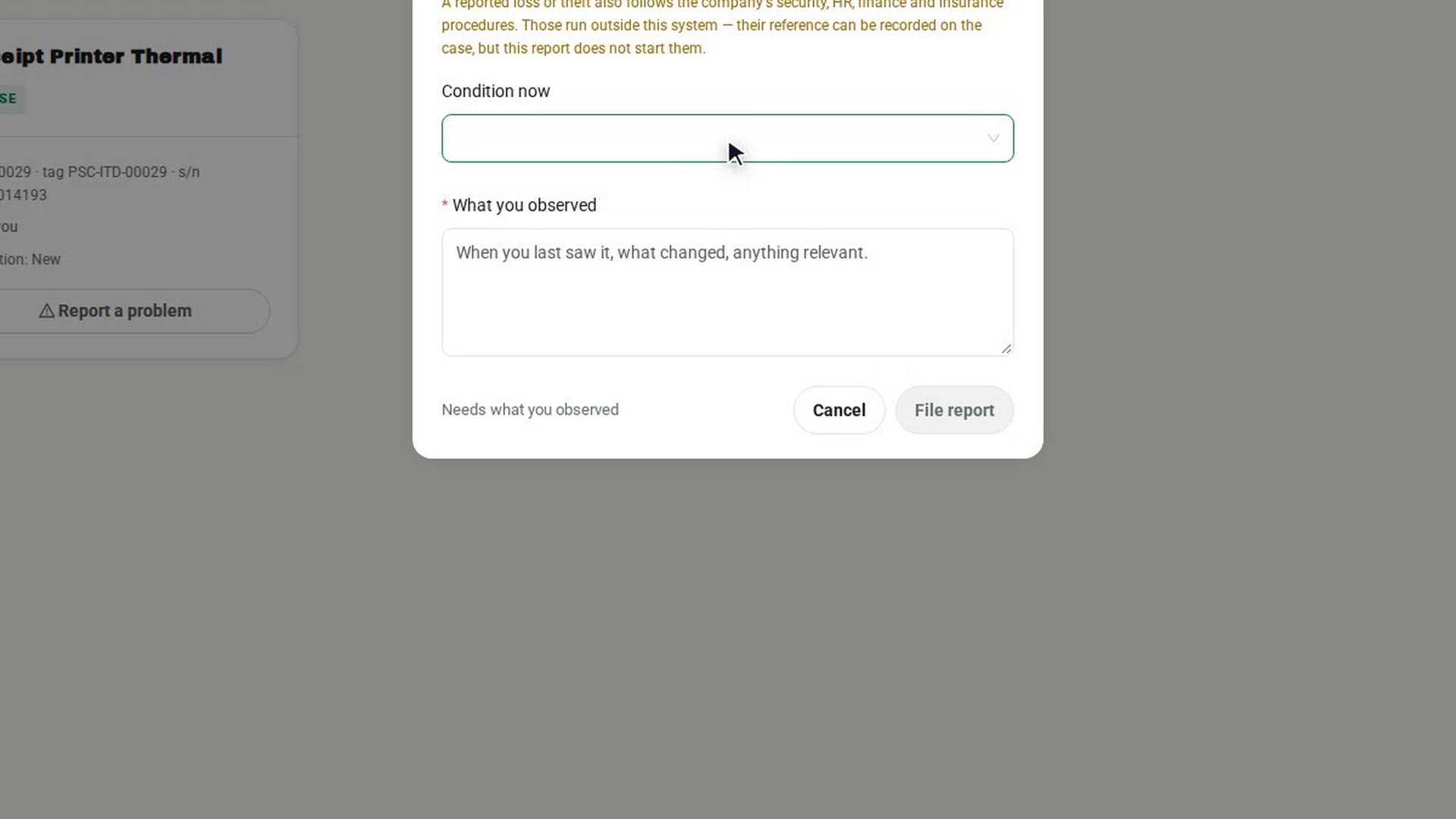
Describe what you know
Under What you observed, write when you last saw the asset, where, and anything else relevant. Leave Condition now empty if you do not know it. Until you describe what happened, the dialog shows Needs what you observed and the report button stays disabled.
File the report
Select File report. A message says Reported. The asset record is unchanged pending review. The asset stays on your list, with its recorded location and custodian, while the case is investigated.
Screenshots
Step 1: Open My Assigned Assets
Step 2: Start a report on the asset
Step 3: Say what happened
Step 4: Describe what you know
Step 5: File the report
Watch how
7-Asset does not start the security, HR, finance or insurance steps. Report the loss or theft through those procedures as well. When they give you a reference, it can be recorded on the case, but 7-Asset tracks only the reference, not the outcome of those processes.
Why the asset is still listed as yours. Reporting records what you observed. It does not correct the register. The inventory team investigates the case, and the record changes only when a correction is approved.