Inventory by location and custodian report
This report lists every asset on the register with where it is and who is accountable for it. Use it to answer "what do we have, where is it, and who holds it" at a glance.
Before you start
- You need a role that can open Reports and Extracts: IT Business Systems or Application Team, IT Hardware Inventory Supervisor, Dedicated IT Warehouse Administrator or CDI Staff, ITD Head and Management, IT Service Governance, IT Service Operations, Infrastructure or Cloud Team, Asset and Logistics Associate, or IT Warehouse Technical Team.
Steps
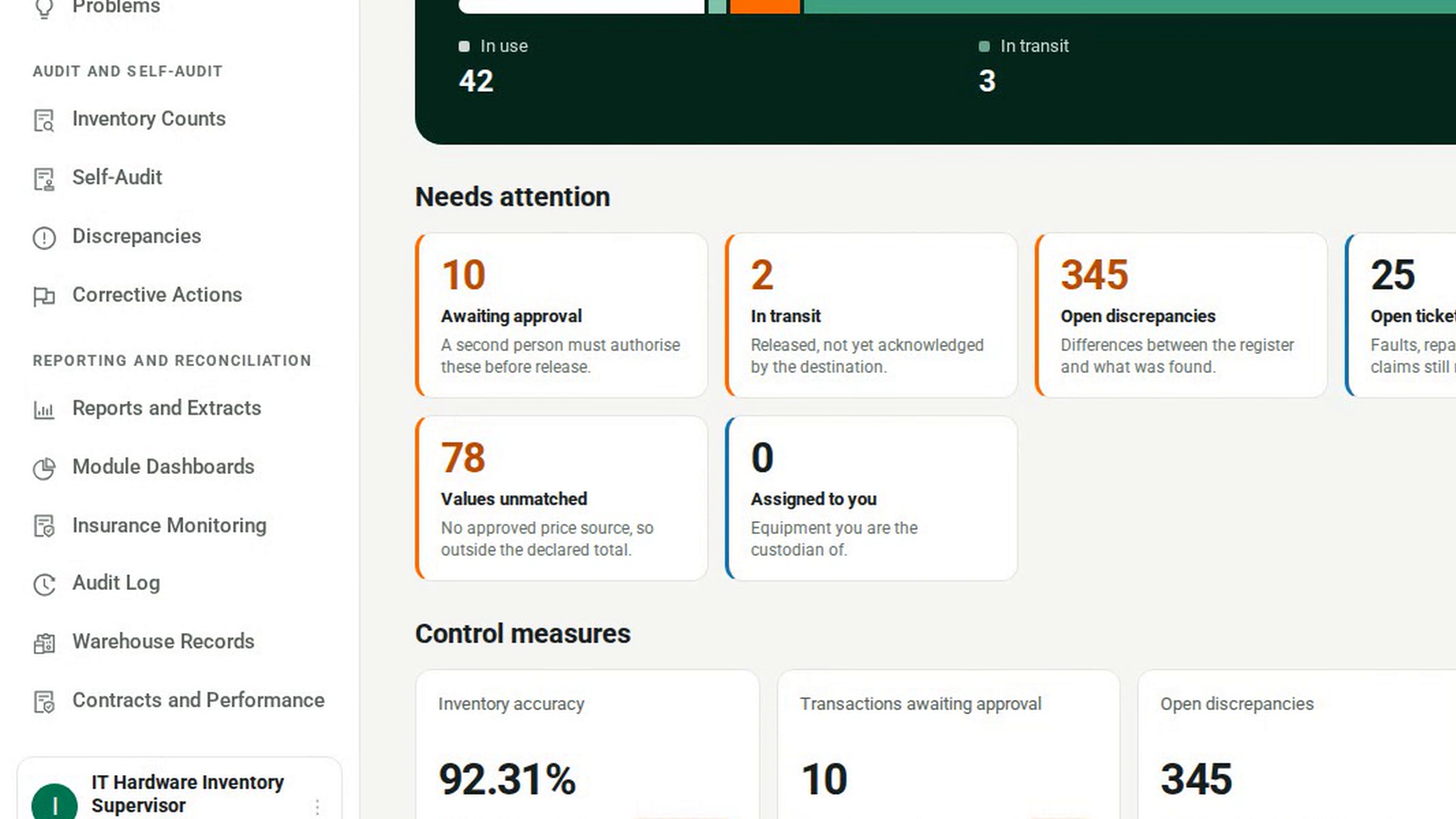
Open Reports and Extracts
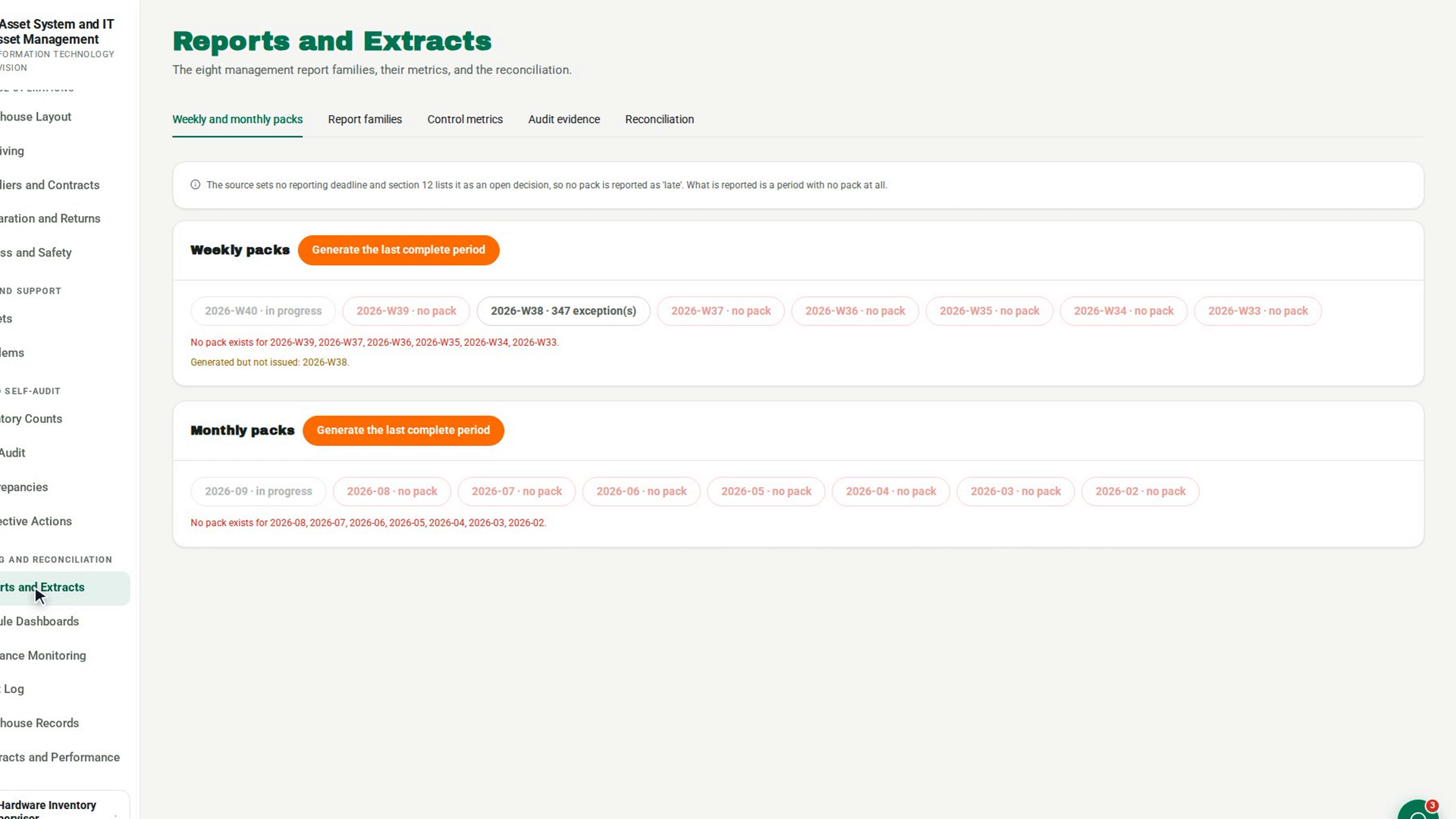
In the sidebar, under Reporting and Reconciliation, select Reports and Extracts. The page opens on the Weekly and monthly packs tab.
Open the Report families tab
Select the Report families tab. It shows a report list, a Reporting cutoff date and Refresh.
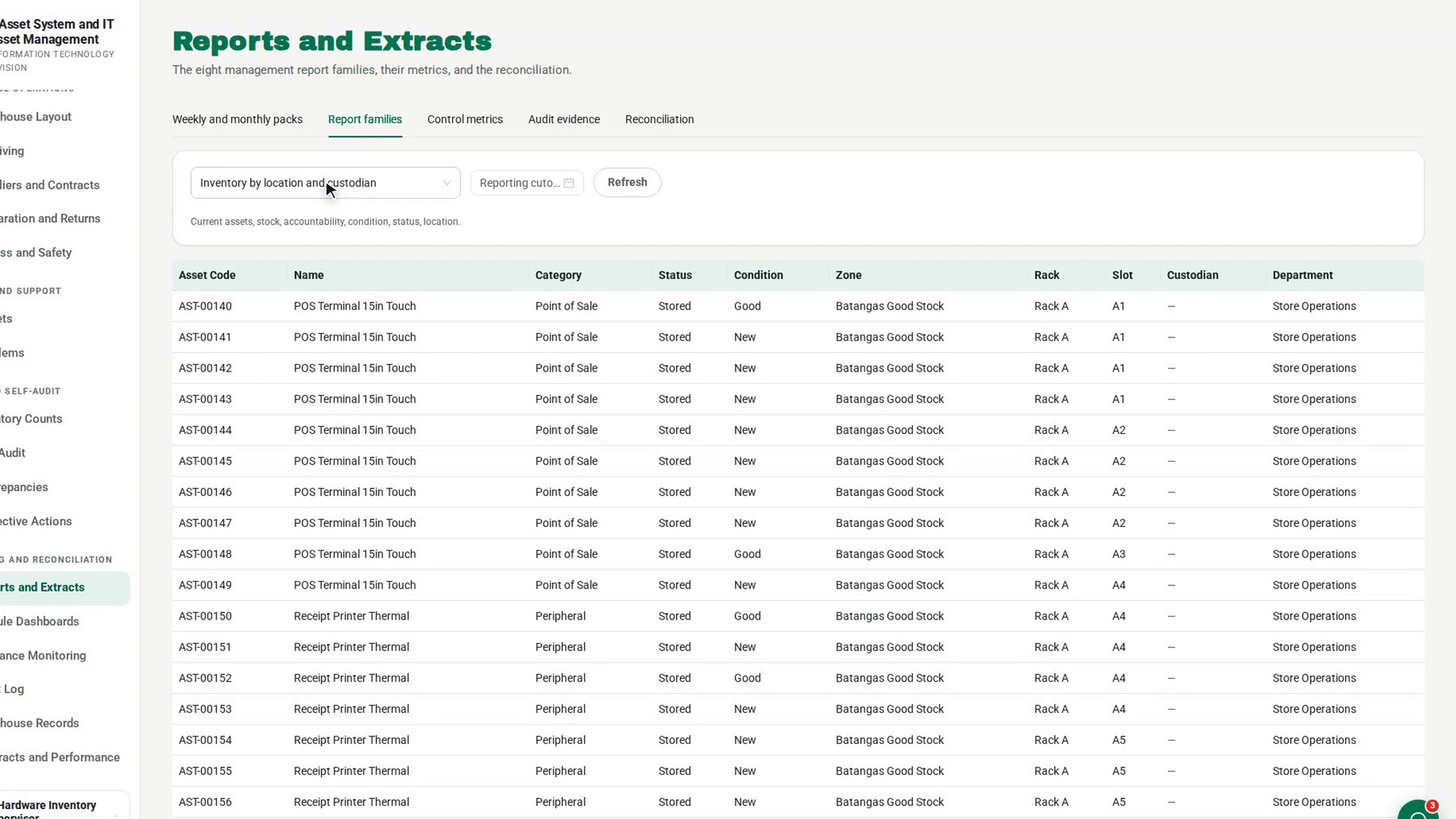
Choose the report
In the list, under Management report families, choose Inventory by location and custodian. The line under the list describes what it covers: Current assets, stock, accountability, condition, status, location.
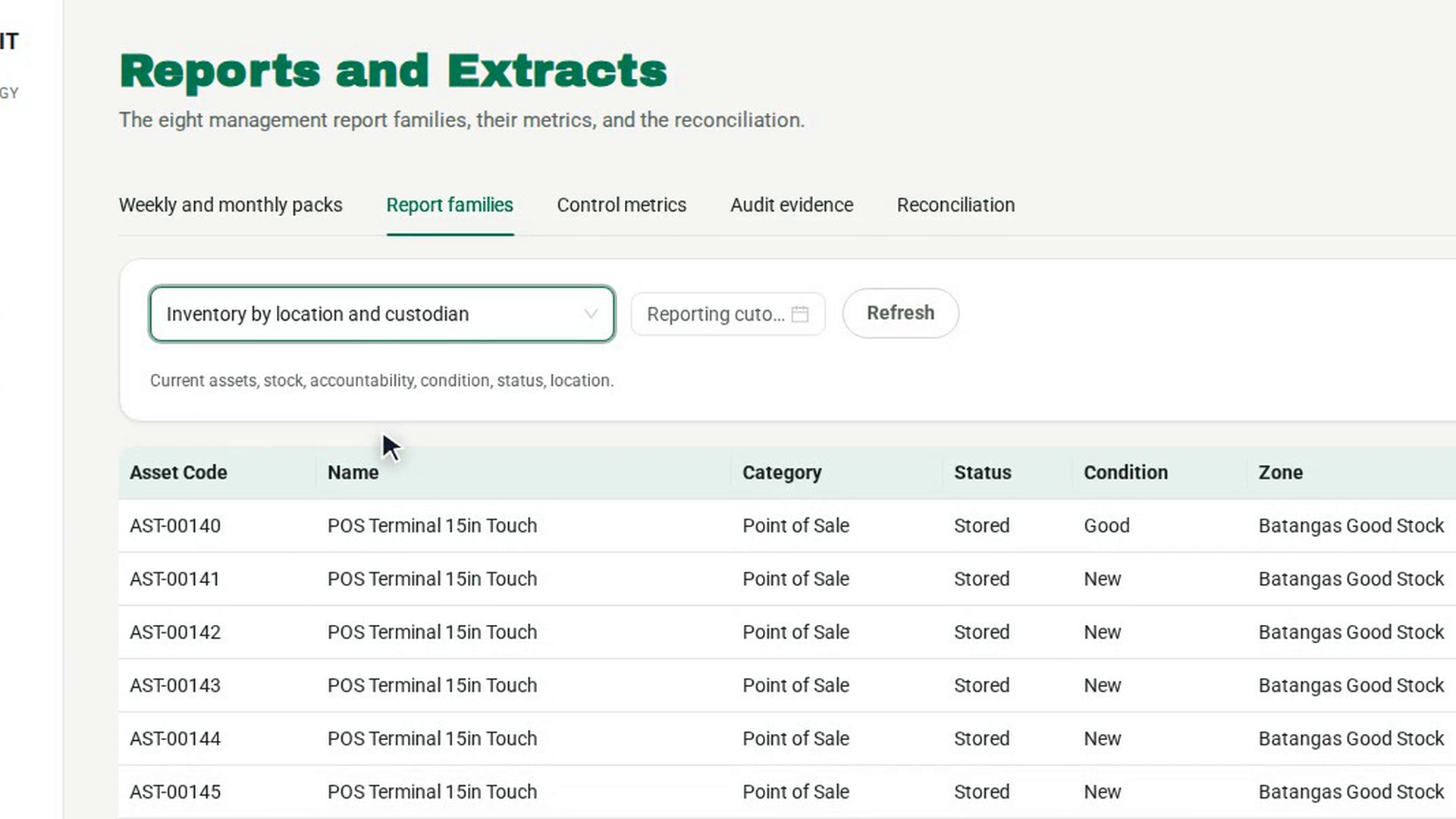
Set a reporting cutoff
If the report is for a set reporting date, pick it in Reporting cutoff, then select Refresh. Without a cutoff the report shows live data.
Read the rows
The table shows Asset Code, Name, Category, Status, Condition, Zone, Rack, Slot, Custodian and Department. The rows are sorted by zone, rack and slot. If nothing matches, you see No rows at this cutoff.
Check where the figures came from
Under the table, a line shows the number of rows, when the report was generated and by whom, and the cutoff it was run at. Keep this with any figure you pass on.
Screenshots
Step 1: Open Reports and Extracts
Step 2: Open the Report families tab
Step 3: Choose the report
Step 4: Set a reporting cutoff
Step 5: Read the rows
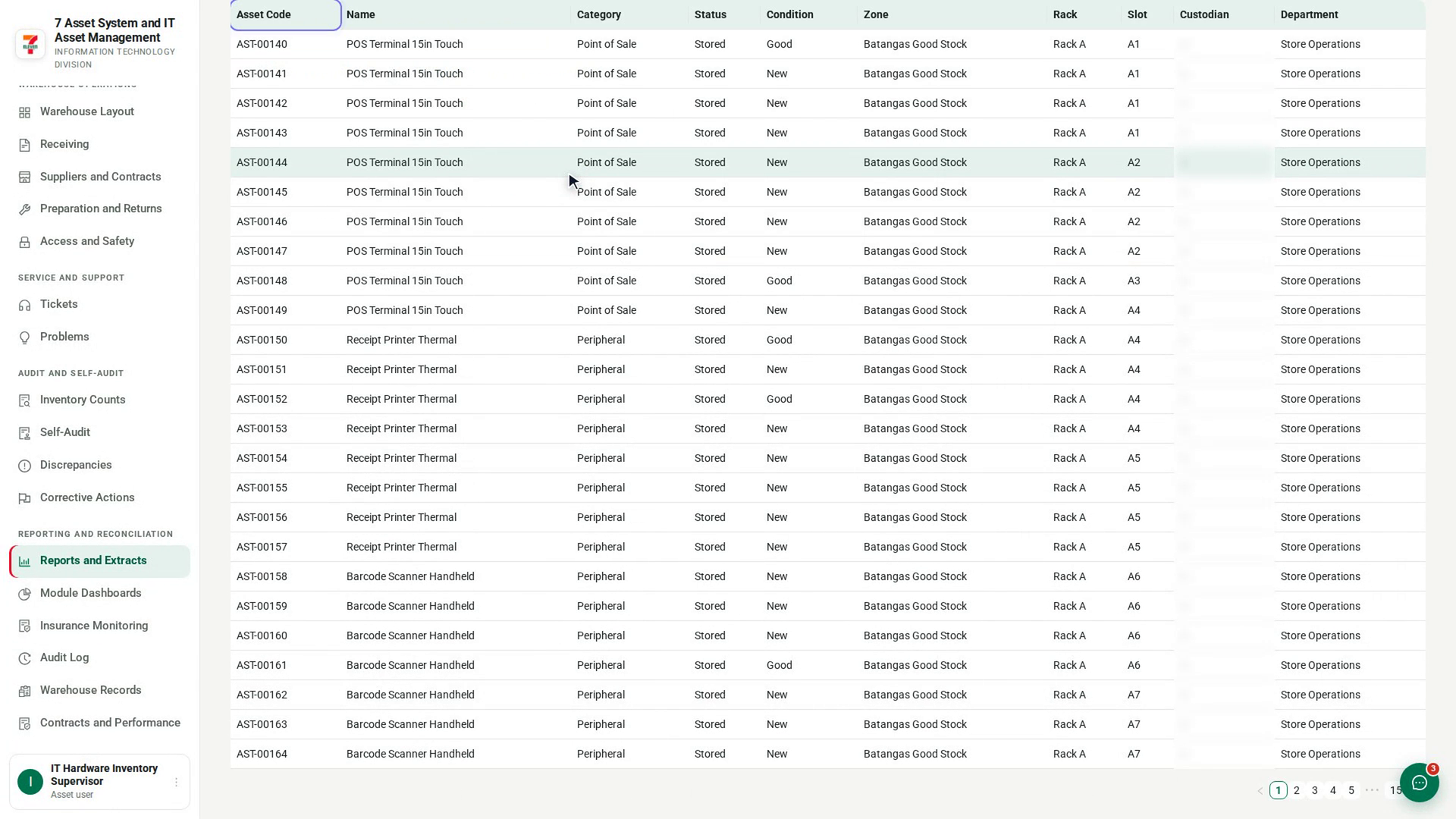
Step 6: Check where the figures came from
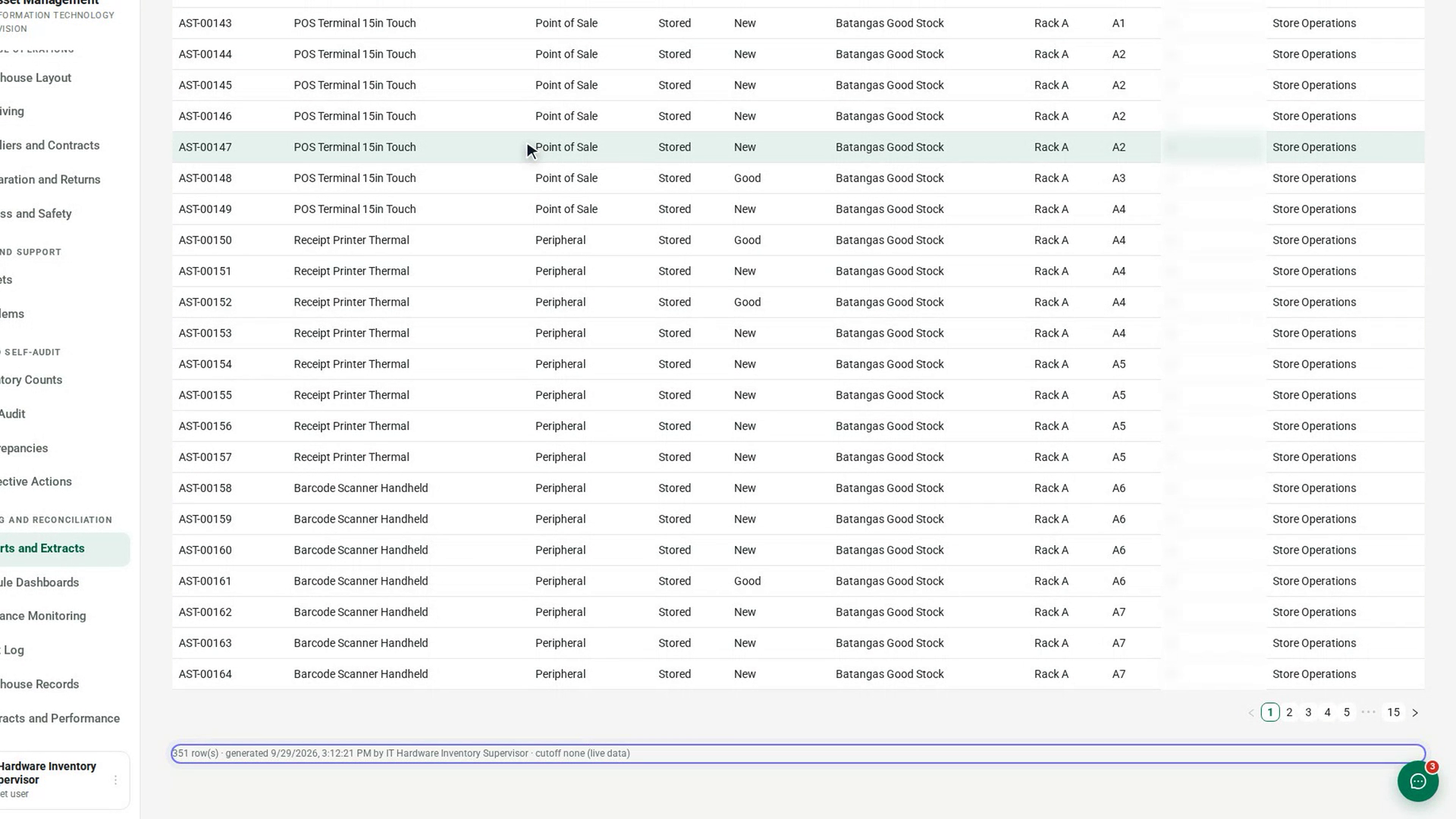
Watch how
Tip: For a plain list of where every asset is, with whether its zone is deployable, choose Location under Extracts in the same list.
Running a report is itself recorded in the Audit Log, with who ran it and how many rows it returned.